Phone Number Extractor vs Email Finder: Which Tool Do You Actually Need?
Phone number extractor & email finder : which one brings better results? This honest comparison helps you pick the right tool for your business. Free options included.
"Should I focus on collecting phone numbers or emails for my outreach campaigns?"
The honest answer? It depends on your business.
Both contact types have their place. Emails work great for nurturing leads over time. Phone numbers get you faster responses and more personal conversations.
But here's what most people miss — you don't have to choose just one.
A good phone number extractor & email finder tool can collect both contact types at the same time. This gives you multiple ways to reach your prospects.
In this post, I'll break down the differences between phone extractors and email finders. You'll learn when to use each one, which industries benefit most from each approach, and how to get both contact types without paying for two separate tools.
Let's sort this out.
What is a Phone Number Extractor?
A phone number extractor is a tool that automatically finds and collects phone numbers from websites, social media profiles, and business directories.
Instead of manually copying numbers from each page (boring and slow), the tool scans the entire page and pulls all phone numbers into a clean list.
Common Sources for Phone Extraction:
- Business directories
- Google Maps listings
- Instagram business profiles
- Facebook pages
- Company websites
- LinkedIn profiles
Most modern extractors work as Chrome extensions. You visit a page, click a button, and the tool does the rest.
A phone number extractor online version also exists — these are web-based tools where you paste URLs and get contact data back.
What is an Email Finder?
An email finder does exactly what the name suggests — it finds email addresses associated with a person or company.
These tools pull email data from various sources:
- Company websites
- Social profiles
- Public databases
- Domain searches
Some email finders let you search by name + company. Others work by scanning web pages for any email addresses present.
Tools like Bulk Email Finder and Person Email Finder are popular options for businesses that rely heavily on email outreach.
Phone Number Extractor vs Email Finder: Quick Comparison
Let me put the main differences in a simple table:
Neither tool is "better" — they serve different purposes.
When Should You Use a Phone Number Extractor?
Phone extraction makes sense in specific situations. Here's when it works best:
1. Local Service Businesses
If you run a plumbing company, cleaning service, or any local business — phone calls convert better than emails. People want to talk to someone when they need immediate help.
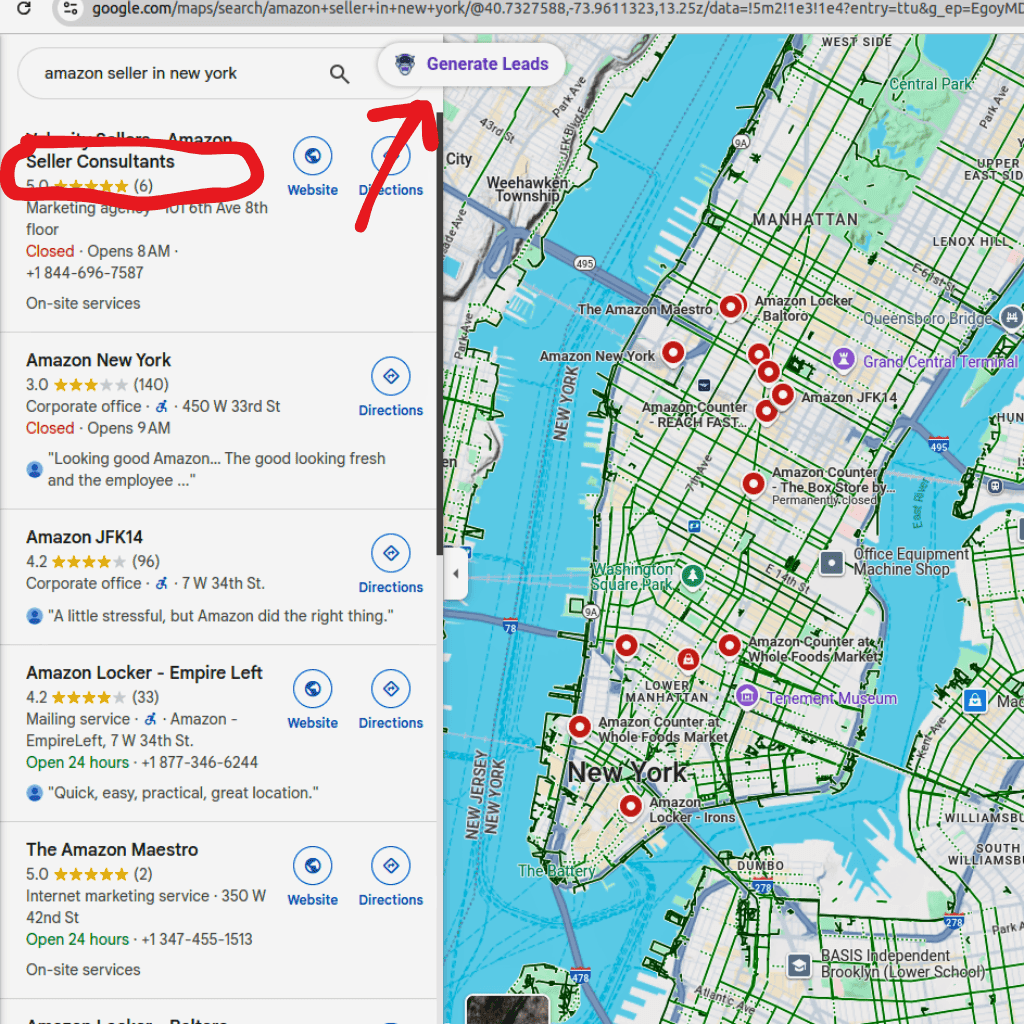
Use tools like Google Maps Scraper or Bing Maps Scraper to pull phone numbers from local business listings.
2. Real Estate
Real estate is a relationship business. A phone call builds trust faster than an email chain.
Realtor Scraper and Zillow Scraper help agents find seller and buyer contact information quickly.
3. High-Ticket Sales
Selling expensive products or services? Phone calls work better. Nobody buys a $50,000 software package from a cold email alone.
4. Time-Sensitive Offers
Limited-time deals need fast communication. SMS messages have 98% open rates compared to 20% for emails.
5. Follow-Up Conversations
Already connected with a lead via email? A phone call can push them over the finish line.
6. WhatsApp Marketing
Phone numbers let you reach prospects through WhatsApp — a channel with much higher engagement than traditional email.
When Should You Use an Email Finder?
Email collection is the better choice in these scenarios:
1. B2B Prospecting
Business professionals check their email constantly. For B2B outreach, email is still the primary communication channel.
A LinkedIn phone number extractor Chrome extension can help, but most LinkedIn connections start with email.
2. Content Distribution
Sharing blog posts, case studies, or newsletters? Email is perfect for this. You can't send a PDF attachment via phone call.
3. Large-Scale Campaigns
Reaching 10,000 prospects? Email automation handles this easily. Calling 10,000 people would take months.
Tools like Email Extractor Extension and Google Search Email Finder make bulk collection simple.
4. Initial Cold Outreach
Many people find cold calls intrusive. A well-written cold email feels less aggressive and gives prospects time to respond.
5. International Markets
Phone calls across time zones are tricky. Emails work 24/7 regardless of where your prospects live.
6. Documentation and Records
Email creates a paper trail. For business deals, having written communication is often necessary.
The Smart Approach: Use Both (Phone Number Extractor & Email Finder)
Here's what successful sales teams actually do — they collect both contact types.
Think about it this way:
- Email first — Send a cold email to introduce yourself
- Phone follow-up — Call the people who opened but didn't reply
- SMS reminder — Send a quick text before your meeting
This multi-channel approach gets 3x better response rates than single-channel outreach.
The problem? Buying separate tools for phone extraction and email finding gets expensive fast.
That's why a combo phone number extractor & email finder tool makes more sense.
Best Phone Number Extractor & Email Finder Tools (2-in-1)
Not all tools offer both features. Here are the ones that do:
1. LeadStal (Best Value)
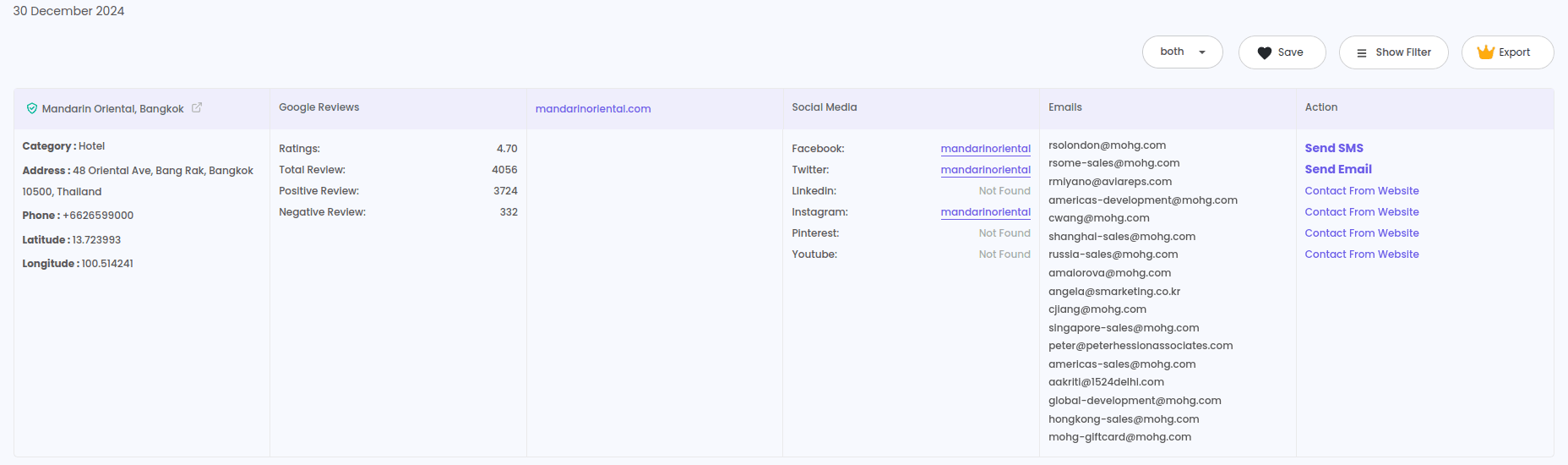
LeadStal combines phone extraction and email finding in one platform.
What You Get:
- Phone number extraction from websites, Instagram, Google Maps
- Bulk Email Finder for company searches
- Single Email Finder for individual lookups
- Email Validator to clean your lists
- Export to CSV/Excel
- Chrome extension for easy scraping
Pricing:
Each credit = 1 valid lead (phone or email). Invalid contacts don't count against your credits.
Why I Like It:
One subscription covers everything. You get scrapers for Instagram, Google Maps, Bing Maps, Realtor, Zillow, plus email tools. Hard to beat this value.
2. Apollo.io
Apollo offers a large database of B2B contacts with both phone and email data.
Pros:
- Big contact database
- Built-in email sequences
- Good for enterprise sales
Cons:
- More expensive
- Phone data accuracy varies
- Steep learning curve
Pricing: Free plan available. Paid starts at $49/month
3. Lusha
Lusha focuses on B2B contact information, including direct dial numbers and business emails.
Pros:
- Good accuracy for business contacts
- Works on LinkedIn
- CRM integrations
Cons:
- Expensive for small teams
- Limited free credits
- B2B focus only
Pricing: Starts at $29/month
4. Snov.io
Snov.io provides email finding with some phone extraction capabilities.
Pros:
- Good email finding accuracy
- Built-in outreach tools
- Affordable pricing
Cons:
- Phone data is limited
- Works better for emails
- Interface can feel cluttered
Pricing: Free plan available. Paid starts at $39/month
5. Kaspr
Kaspr works as an email and phone number extractor from LinkedIn specifically.
Pros:
- Strong LinkedIn integration
- Real-time data enrichment
- Good for B2B
Cons:
- LinkedIn only — no other platforms
- Can get expensive
- Limited outside of LinkedIn
Pricing: Free plan available. Paid starts at €30/month
Free Options: Phone Number Extractor & Email Finder Free
Budget tight? Here are free options worth trying:
1. LeadStal Free Plan
- 20 credits per month
- Access to all features
- Good for testing
2. Hunter.io Free
- 25 searches per month
- Email finding only
- No phone extraction
3. Snov.io Free
- 50 credits per month
- Mostly email focused
- Limited phone data
4. Apollo.io Free
- Basic access
- Limited credits
- B2B contacts only
My Honest Take:
Free plans work for testing. But if you're serious about lead generation, you'll burn through free credits in a few days. The Standard plans ($15-30/month) give you enough room to actually run campaigns.
Phone Number Extractor & Email Finder App: Mobile Options
Most tools work as Chrome extensions. But some also offer mobile apps:
- Apollo.io — Has a mobile app for iOS and Android
- Lusha — Mobile app available
- LeadStal — Chrome extension (works on mobile Chrome with desktop mode)
For serious data collection, I'd stick with desktop. Mobile scraping is slower and more limited.
If you need a phone number extractor & email finder app specifically, Apollo.io has the best mobile experience right now.
How to Use Both Tools Together (My Workflow)
Let me share my actual process for multi-channel outreach:
Step 1: Build Your Target List
Use Google Maps Scraper to find businesses in your target location and industry.
Step 2: Extract Phone + Email
Run the list through LeadStal's extraction tools. You'll get both contact types for most businesses.
Step 3: Validate Emails
Use Email Validator to remove bouncy addresses. This protects your sender reputation.
Step 4: Send Cold Email First
Write a short, personalized email. Track opens and clicks.
Step 5: Call the Engaged Prospects
Anyone who opened your email twice or clicked a link? Call them. They're already interested.
Step 6: SMS Follow-Up
Still no response? Send a friendly SMS. Keep it short — 1-2 sentences max.
This workflow gets me 3-4x better results than email alone.
Industry Guide: Which Tool Works Best?
Compliance and Legal Stuff
Quick note on staying legal:
For Phone Outreach:
- Check the Do Not Call (DNC) registry before calling
- TCPA rules apply in the US
- Get consent for automated calls/texts
For Email Outreach:
- CAN-SPAM requires unsubscribe options
- GDPR applies to European contacts
- Don't buy scraped email lists (high spam risk)
General Rule: Only extract publicly available information. Don't use data for spamming or harassment. Treat your contacts how you'd want to be treated.
Common Mistakes to Avoid
I've seen these errors wreck campaigns:
❌ Collecting Data Without a Plan
10,000 phone numbers mean nothing if you can't call them all. Start with smaller, targeted lists.
❌ Skipping Validation
Invalid numbers and bounced emails waste your time and hurt your reputation. Always validate before outreach.
❌ Single-Channel Only
Using just email or just phone limits your reach. Smart teams use both.
❌ Generic Messages
"Dear Sir/Madam" doesn't work anymore. Personalize your outreach based on what you know about the contact.
❌ Ignoring Time Zones
Calling someone at 6 AM their time? That's a guaranteed hangup. Check locations before dialing.
Frequently Asked Questions (FAQs)
1. What is a phone number extractor & email finder?
It's a tool that collects both phone numbers and email addresses from websites, social media, and directories. You get two contact types with one tool.
2. Is there a phone number extractor & email finder free option?
Yes. LeadStal, Apollo.io, and Snov.io all offer free plans with limited credits. Good for testing before you commit.
3. Can I extract phone numbers and emails from LinkedIn?
Yes. Tools like Kaspr and LeadStal work as an email and phone number extractor Chrome extension that pulls LinkedIn contact data.
4. Is there a free LinkedIn phone number extractor?
Some tools offer limited free access for LinkedIn. Kaspr has a free plan. LeadStal's free credits also work on LinkedIn profiles.
5. Which is better — phone or email for cold outreach?
Depends on your industry. B2B sales often start with email. Local services and high-ticket sales work better with phone calls. Best results come from using both.
6. Can I use extracted contacts for marketing?
Yes, but follow the rules. Include unsubscribe links in emails. Respect Do Not Call lists for phone outreach. Only collect publicly available data.
7. How accurate are these tools?
Good tools like LeadStal report 95%+ accuracy for public data. Always validate your lists before outreach campaigns.
8. Does phone number extractor online work without installing anything?
Some tools offer web-based extraction. But Chrome extensions usually work faster and find more data.
9. Can I export the data?
Yes. Most tools let you download contacts as CSV or Excel files.
10. What's the best tool if I need both phone and email?
LeadStal gives you the best value — both extraction types plus validation tools in one subscription starting at $14.99/month.
Final Thoughts
The debate between phone extraction and email finding is a false choice.
Modern outreach needs both channels working together. An email warms up the prospect. A phone call closes the deal. SMS keeps the conversation going.
A phone number extractor & email finder combo tool saves you money and simplifies your workflow. Instead of juggling multiple subscriptions, you get everything in one place.
If you're just starting out, test LeadStal's free plan. See how both contact types improve your response rates. Once you see the results, the Standard plan ($14.99/month) gives you plenty of credits to scale up.
Stop limiting yourself to one channel. Grab both contact types and watch your conversions grow.
Related Articles:
Put this into action, for free
Find verified leads from Google Maps, Instagram and 30+ sources with LeadStal's free tools.
Start finding leads freeComments (3)
 Priya Nair· 2 days ago
This is exactly what I needed, pulled 300 leads in my niche the same afternoon. The export to CSV worked flawlessly.