Yellow Pages Scraping in 2026: The Legacy Directory That Still Prints Leads
Yellow Pages is old, but it is not dead. For local B2B sellers, agencies, freelancers, recruiters, and sales teams, it still holds a large amount of business data that can turn into real prospect lists.
Think about any local niche.
Dentists in Austin.Electricians in Houston.Law firms in Chicago.Roofers in Dallas.Restaurants in Los Angeles.Plumbers in Miami.Real estate agents in Phoenix.
Many of these businesses still appear on Yellow Pages with public details such as business names, phone numbers, addresses, websites, categories, and sometimes emails or social links. The issue is not finding the listings. The issue is collecting the data without wasting hours.
That is where a yellow pages scraper helps.
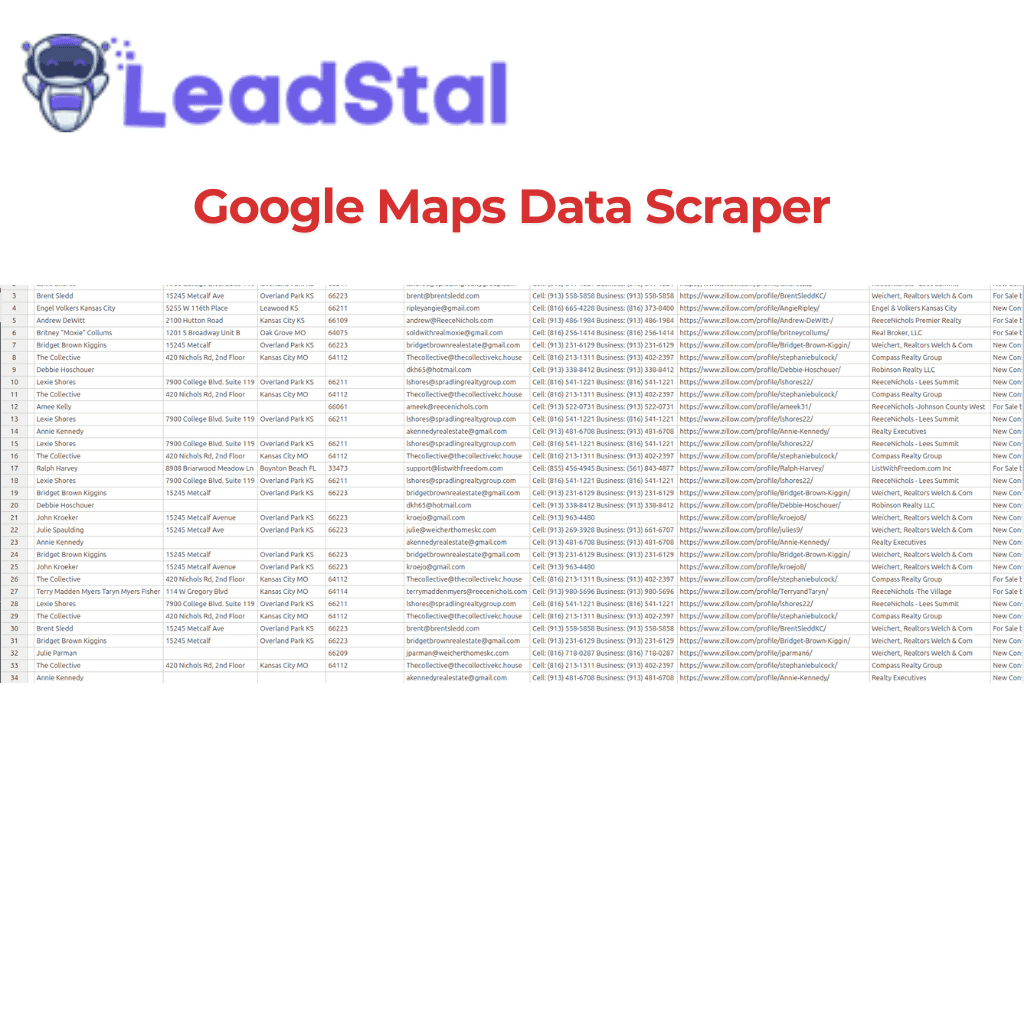
A Yellow Pages scraper lets you extract business contact data from Yellow Pages listings and export it into a clean CSV file. Instead of copying each listing by hand, you can search by category and location, run the scraper, and build a local lead list faster.
LeadStal’s Yellowpages Email Finder & Phone Number Scraper Chrome extension is built for this exact use case. It is free to install, needs no sign-up to add to Chrome, and helps users scrape local business emails, phone numbers, websites, addresses, and public listing data from Yellow Pages.
In this guide, you will learn how Yellow Pages scraping works in 2026, why this older directory still matters, how to extract business leads step by step, and how to send campaigns with LeadStal and mail.leadstal.com.
Quick Answer: What Is a Yellow Pages Scraper?
A Yellow Pages scraper is a tool that collects public business data from Yellow Pages listings and turns it into a structured lead list.
It can help extract:
- Business names
- Phone numbers
- Website URLs
- Business addresses
- Emails when available
- Category or industry data
- City and state details
- Social profile links when found
- Other public listing details
For local B2B prospecting, this saves time and gives sales teams a faster way to build targeted lead lists by niche and location.
Why Yellow Pages Still Matters in 2026
Many people think only new platforms matter for lead research. That is a mistake.
Yellow Pages still matters because local businesses continue to appear there. Some companies may have basic websites, weak social presence, or little public marketing data, but they may still have a Yellow Pages listing.
That makes Yellow Pages useful for local prospecting.
For example, a web design agency can search for service businesses with outdated websites. A local SEO agency can find businesses that may need better visibility. A recruiter can find companies by industry. A B2B service seller can collect prospects by city and category.
The real value comes from the search structure.
Yellow Pages lets you search with two direct filters:
- Service type
- Location
This means you can create lists such as:
- Dentists in Austin, TX
- HVAC companies in Houston, TX
- Real estate agencies in Orlando, FL
- Personal injury lawyers in Chicago, IL
- Cleaning companies in New York, NY
- Restaurants in San Diego, CA
- Plumbers in Tampa, FL
That is clean intent. You are not scraping random names. You are building a list around a real market.
Yellow Pages Data: What Can You Extract?
A Yellow Pages scraper can collect business data from search result pages, category pages, and individual listings.
With the LeadStal Yellow Pages Email Finder & Phone Number Scraper, users can collect data such as:
Data can vary from listing to listing. Some businesses may show full details. Others may have only a name, phone number, or address. A scraper helps collect what is publicly available, but users should still review important leads before outreach.
LeadStal Yellow Pages Email Finder & Phone Number Scraper
The LeadStal Yellow Pages Email Finder & Phone Number Scraper is a free Chrome extension for extracting local business contact data from Yellow Pages.
It is built for people who want to turn directory listings into CSV lead lists without coding or manual copy-paste.
Main benefits:
- Free Chrome extension
- No sign-up needed to install
- No credit card needed to install
- One-click extraction
- CSV export
- Works on Yellow Pages search and category pages
- Collects public business data
- Built for local B2B prospecting
You can install it here: Yellowpages Email Finder & Phone Number Scraper by LeadStal.
Main Features
The extension is made for fast local lead collection.
Core features include:
- Scrape Yellow Pages leads by category and location
- Extract business name, phone number, website, and address
- Find emails when available or discoverable from public sources
- Collect social media links when available
- Capture category, city, state, and listing details
- Automatic multi-page scraping with pagination support
- Export leads into CSV
- One-click Generate Leads workflow
- No coding or complex setup
For local sellers, this cuts down hours of manual research.
Who Should Use a Yellow Pages Scraper?
A Yellow Pages scraper is useful for any team that sells to local businesses.
Best users include:
- Local B2B sellers
- Lead generation agencies
- Sales teams
- B2B marketers
- Local SEO agencies
- Outreach specialists
- Recruiters
- Freelancers
- Web design agencies
- Appointment setters
- Small business agencies
- Real estate service providers
- CRM sellers
- Business loan brokers
If your buyers are local companies, Yellow Pages can be a strong lead source.
Yellow Pages Lead Scraping: Step-by-Step Guide
Here is the exact process to turn Yellow Pages into a lead list using LeadStal.
Step 1: Add the Yellow Pages Email Finder to Chrome
Install the LeadStal Yellow Pages Email Finder & Phone Number Scraper from the Chrome Web Store.
You can use this link: Install the Yellow Pages scraper extension.
The extension is free to install and does not require sign-up just to add it to Chrome. Once installed, it runs inside your browser while you browse Yellow Pages.
Step 2: Search Yellow Pages by Category and Location
Open Yellow Pages and enter the business type and location you want.
Good search examples:
- Dentists in Austin, TX
- Electricians in Houston, TX
- Lawyers in Chicago, IL
- Plumbers in Miami, FL
- Roofers in Dallas, TX
- Restaurants in Los Angeles, CA
- Chiropractors in Phoenix, AZ
- Cleaning services in New York, NY
The best searches are specific. A focused search gives you a cleaner list and a stronger outreach message later.
Poor search: “businesses in USA”Better search: “dentists in Austin, TX”
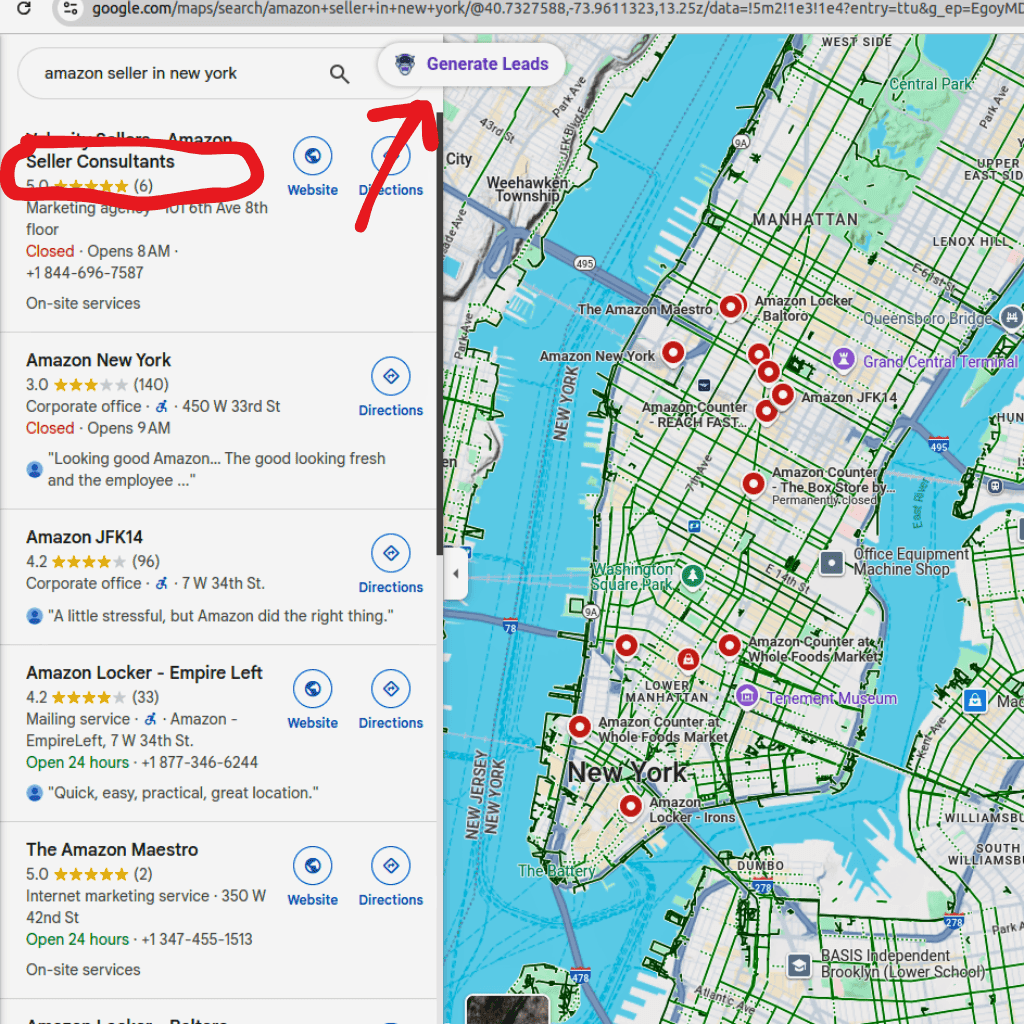
Step 3: Click the LeadStal Generate Leads Button
After the Yellow Pages results load, click the LeadStal Generate Leads button.
The extension scans the listings and collects available public data. It can pull business names, phone numbers, websites, addresses, emails when available, social profile links when found, and listing details.
This is useful when you need many leads from one niche without opening every listing manually.
Step 4: Review the Extracted Leads
After the scraper collects the data, review the list.
Check for:
- Duplicate businesses
- Missing websites
- Missing emails
- Wrong categories
- Out-of-area listings
- Poor-fit companies
A scraper helps collect data faster, but a clean lead list still needs smart filtering. The better your list, the better your campaign can work.
Step 5: Export Yellow Pages Leads to CSV
Export the scraped data into a CSV file.
A CSV file is easy to use in:
- LeadStal
- CRM tools
- Sales sheets
- Calling lists
- Outreach tools
- Agency prospecting files
This gives you a working lead list with business data in one file.
Step 6: Import Leads Into LeadStal
After exporting your Yellow Pages CSV, import the file into LeadStal.
Inside LeadStal, you can sort your leads, prepare them for outreach, and build cleaner campaigns.
If some contacts are missing emails, use:
- Bulk Email Finder for large lists
- Single Email Finder for one website or domain
- Person Email Finder when you know the decision maker
- Website Email Extractor to pull emails from business websites
Before sending, use the Email Validator to check email quality.
Step 7: Send Campaigns With mail.leadstal.com
After collecting and checking your leads, use mail.leadstal.com to run your email campaign.
A simple workflow:
- Import Yellow Pages leads
- Check and clean emails
- Connect a sender account
- Create a campaign
- Add your email copy
- Add follow-up steps
- Send the campaign
- Manage replies in Unibox
- Review results in Analytics
mail.leadstal.com helps users manage lead lists, connect sender accounts, run campaigns, track opens and replies, and reply from one inbox.
This turns Yellow Pages scraping into a full outreach process.
Why mail.leadstal.com Helps After Scraping
Scraping leads is only the first step. You still need to send the right message, follow up, and track results.
mail.leadstal.com helps with:
- Campaign setup
- Sender account control
- Daily sending limits
- Delay settings
- Lead list management
- Reply tracking
- Unibox for replies
- Analytics for opens, replies, clicks, and unsubscribes
This helps users avoid scattered files and messy follow-up. You can move from lead list to campaign without losing track of contacts.
Yellow Pages Scraper vs Manual Research
Manual research can work for 10 leads. But for larger lists, a scraper saves time and keeps data easier to manage.
Yellow Pages vs Other LeadStal Lead Sources
Yellow Pages is a good source for local directory leads, but it works even better when paired with other LeadStal tools.
For local lead generation, Yellow Pages, Google Maps, Bing Maps, Yelp, Manta, and GMB can work together. Each source can fill gaps that another source may miss.
Best Use Cases for Yellow Pages Leads
Local SEO Agencies
Local SEO agencies can use Yellow Pages to find companies that may need more local visibility.
Good niches:
- Dentists
- Lawyers
- HVAC companies
- Roofers
- Plumbers
- Clinics
- Restaurants
- Home service companies
After scraping, the agency can check each business website and pitch a simple service offer.
Web Design Agencies
A Yellow Pages list can help web design agencies find local businesses with old websites, weak landing pages, or missing contact details.
A simple pitch can focus on better calls, more quote requests, or a cleaner website.
Lead Generation Agencies
Lead generation agencies can build niche lists for their clients.
Example lists:
- 500 dentists in Texas
- 300 HVAC companies in Florida
- 1,000 restaurants in California
- 250 law firms in Illinois
After list building, agencies can use LeadStal email tools and mail.leadstal.com for outreach.
Recruiters
Recruiters can use Yellow Pages to find companies by industry and location. This can help build hiring prospect lists for local markets.
B2B Sales Teams
Sales teams can use Yellow Pages scraping to build territory-based lead lists. This is useful for companies selling software, marketing, payment services, insurance, finance, or business services to local companies.
Real Estate Service Providers
Yellow Pages can help find local real estate firms, property service providers, mortgage companies, and related businesses.
For real estate-focused prospecting, LeadStal also has:
- Realtor lead generation tool
- Zillow lead scraper
- Redfin.com Emails Finder & Phone Number Scraper
- Homes.com Emails Finder & Phone Number Scraper
- Compass Emails Finder & Phone Number Scraper
FAQ: Yellow Pages Scraper
1. What is a Yellow Pages scraper?
A Yellow Pages scraper is a tool that extracts public business data from Yellow Pages listings and search pages.
2. What data can I extract from Yellow Pages?
You can extract business names, phone numbers, websites, addresses, categories, location details, emails when available, and social links when found.
3. Can I scrape Yellow Pages emails?
Yes, you can collect emails when they are available or discoverable from public sources. Data can vary by listing.
4. Can I export Yellow Pages leads to CSV?
Yes. The LeadStal Yellow Pages Email Finder & Phone Number Scraper lets you export collected leads into a CSV file.
5. Is the LeadStal Yellow Pages scraper free?
Yes, the Chrome extension is free to install and does not require sign-up to add to Chrome.
6. Do I need coding skills?
No. Open Yellow Pages, run the extension, generate leads, and export the CSV.
7. Does the scraper support multiple pages?
Yes. The extension supports automatic multi-page scraping with pagination support.
8. Who should use Yellow Pages scraping?
Local B2B sellers, agencies, sales teams, marketers, recruiters, freelancers, and service providers can use it for prospecting.
9. What should I do after scraping leads?
Export the CSV, import leads into LeadStal, validate emails, then send campaigns through mail.leadstal.com.
10. Is Yellow Pages scraping allowed?
The tool collects public business information. Users must follow Yellow Pages terms, privacy laws, anti-spam rules, and outreach rules in their region.
Put this into action, for free
Find verified leads from Google Maps, Instagram and 30+ sources with LeadStal's free tools.
Start finding leads freeComments (3)
 Priya Nair· 2 days ago
This is exactly what I needed, pulled 300 leads in my niche the same afternoon. The export to CSV worked flawlessly.