YP vs Google Maps: Which Directory Serves Older, Higher-Ticket Businesses?
Compare Yellow Pages vs Google Maps for B2B leads, local sellers, and higher-ticket business prospecting.
Local B2B sellers often ask one question before building a prospect list: Should I pull leads from Yellow Pages or Google Maps?
Both sources can work. Both can help you find local businesses by niche and city. Both can support cold email, cold calling, local SEO sales, web design outreach, lead generation offers, and appointment setting.
But they are not the same.
Google Maps often shows businesses with active map profiles, reviews, photos, hours, and local search activity. Yellow Pages often shows businesses that have lived in directories for years, including established and owner-operated firms that may not update their web presence often.
That is why yellow pages vs google maps is an important comparison for local sellers. The best source depends on the type of business you want to reach.
If you want fresh, review-heavy, location-active businesses, Google Maps is strong.If you want older, directory-listed, phone-first, service-based companies, Yellow Pages can be a strong source too.
In this guide, we compare both directories for B2B lead building, higher-ticket local businesses, contact availability, overlap testing, and outreach use cases.
Quick Answer: Yellow Pages vs Google Maps for B2B Leads
Yellow Pages is often better for finding older, established, owner-operated local businesses that still depend on phone calls and directory listings. Google Maps is often better for finding active local businesses with reviews, map visibility, business hours, and fresh public details.
For best results, run both LeadStal finders, compare the overlap, remove duplicates, validate emails, then send campaigns through mail.leadstal.com.
Why This Comparison Matters for Local Sellers
Most local sellers do not fail because they lack effort. They fail because they target the same crowded lists as everyone else.
If every agency is scraping Google Maps dentists in major cities, those inboxes get crowded. Yellow Pages may help you find older companies that are not getting pitched as often.
This matters for:
- Local SEO agencies
- Web design agencies
- Lead generation agencies
- Cold email senders
- Freelancers
- Appointment setters
- Recruiters
- B2B sales teams
- Home service marketers
- Real estate service providers
A better source can mean fewer duplicate leads, less crowded inboxes, and stronger pitch angles.
What Yellow Pages Is Best For
Yellow Pages works well for local service categories where phone calls still matter.
Good Yellow Pages niches include:
- Septic tank services
- Towing companies
- Locksmiths
- Plumbers
- HVAC companies
- Pest control
- Tree services
- Garage door repair
- Appliance repair
- Roofers
- Cleaning companies
- Moving companies
- Lawyers
- Clinics
- Contractors
Many of these businesses may have been operating for years. Some may not have strong websites. Some may still depend on calls, referrals, and directory listings.
That makes them useful for offers like:
- Better local visibility
- More quote requests
- Website upgrade
- Review campaigns
- Missed-call follow-up
- Booking system setup
- Cold email outreach
- Lead list building
You can extract this type of data with the Yellowpages Email Finder & Phone Number Scraper.
What Google Maps Is Best For
Google Maps is strong for businesses that care about local search, reviews, map rankings, photos, hours, and customer calls.
Good Google Maps niches include:
- Restaurants
- Dentists
- Gyms
- Salons
- Clinics
- Real estate offices
- Contractors
- Local agencies
- Home service companies
- Retail shops
- Auto repair shops
- Hotels
- Moving companies
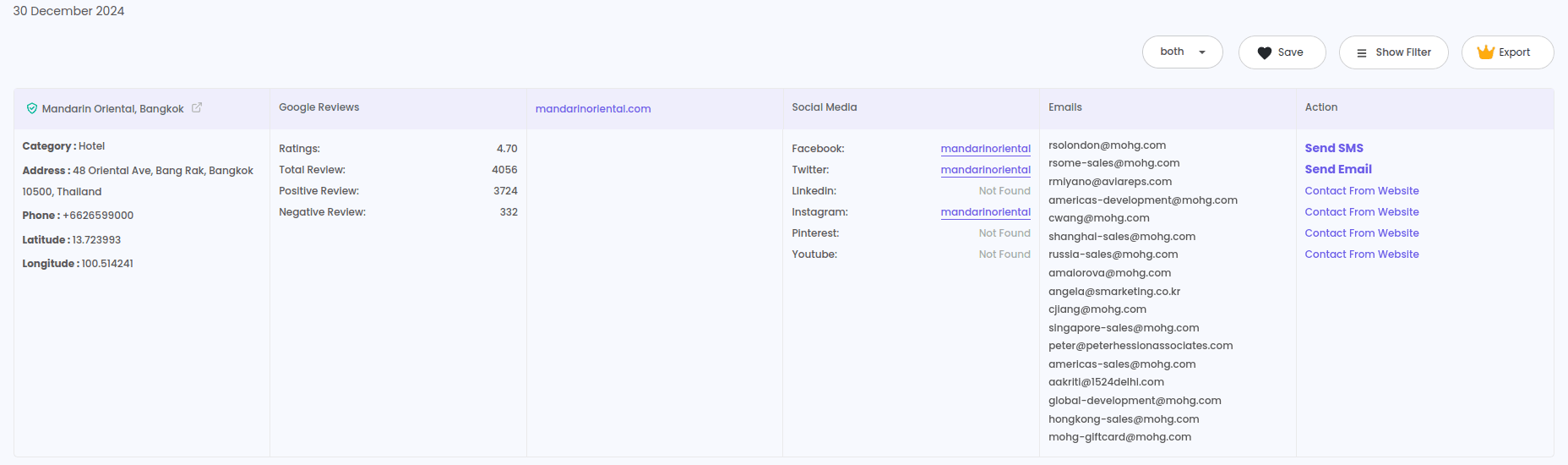
Google Maps listings can show useful public clues, such as review count, rating, location, category, website, hours, photos, and business profile activity.
This helps sellers find businesses that already receive search traffic but may need help improving conversion, reviews, ranking, or follow-up.
You can build these lists with the Google Maps Lead Generator.
Yellow Pages vs Google Maps: Main Difference
Both can work. The smarter move is not choosing one forever. It is testing both for your niche.
Which One Finds Older Businesses?
Yellow Pages often has an edge for older business discovery.
Why? Many long-running local businesses were listed in phone-book style directories years ago and stayed there. These businesses may not update every modern profile, but they may still have directory listings with phone numbers and addresses.
That is why Yellow Pages can be useful for established business leads.
Examples:
- Family-owned plumbing firms
- Local law offices
- Septic services
- Towing operators
- Appliance repair shops
- Long-running contractors
- Independent clinics
- Small real estate offices
These businesses may have solid revenue but weak marketing systems. That creates room for practical service offers.
Which One Finds Higher-Ticket Local Leads?
Higher-ticket does not always mean fancy.
Some high-value local jobs come from unglamorous niches:
- Water damage cleanup
- Roofing
- Septic repair
- HVAC replacement
- Legal services
- Pest control contracts
- Garage door repair
- Fence installation
- Asphalt paving
- Tree removal
Yellow Pages can help find older companies in these categories. Google Maps can help check which ones are active, reviewed, and visible.
For higher-ticket outreach, use both:
- Pull the Yellow Pages list
- Pull the Google Maps list
- Match by business name, phone, and website
- Keep unique leads from both sources
- Validate emails
- Build one campaign per niche
This gives you a wider local lead pool without guessing.
Extraction Overlap Data: What to Measure
Do not guess which source is better. Run a small test.
Pick one niche and one city. For example:
“Roofers in Dallas, TX”
Then extract leads from both sources.
Use:
Track these numbers:
This overlap test helps you see which source gives better leads for your market.
How to Run a Yellow Pages vs Google Maps Test
Step 1: Pick One Niche
Start narrow.
Good examples:
- Towing companies in Houston
- Roofers in Dallas
- Lawyers in Chicago
- HVAC companies in Phoenix
- Pest control in Miami
- Tree removal services in Tampa
One niche makes comparison easier.
Step 2: Extract Yellow Pages Leads
Open Yellow Pages, search your category and city, then run the LeadStal Yellow Pages scraper.
Export:
- Business names
- Phone numbers
- Websites
- Emails when available
- Addresses
- Categories
Step 3: Extract Google Maps Leads
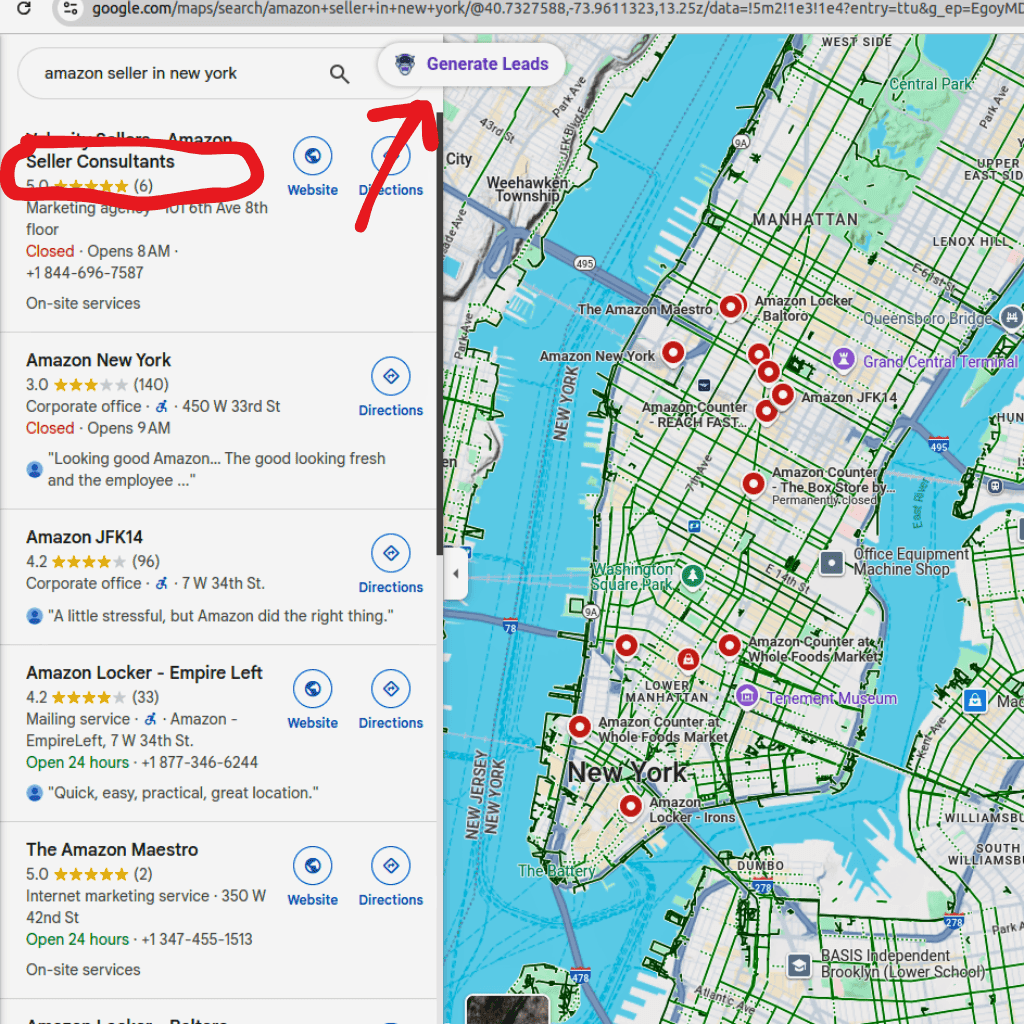
Open the Google Maps Lead Generator, search the same niche and city, and export the list.
Keep the search phrase as close as possible to the Yellow Pages search.
Step 4: Merge Both CSV Files
Put both lists into one sheet. Match duplicates by:
- Business name
- Phone number
- Website
- Address
Mark each row as:
- Yellow Pages only
- Google Maps only
- Found in both
This gives you your overlap rate.
Step 5: Check Contact Quality
Review which source gives better:
- Phone coverage
- Website coverage
- Email coverage
- Business category match
- Local fit
- Owner-operated leads
- Higher-ticket service categories
Step 6: Validate Emails
Before outreach, use the Email Validator. This helps remove invalid or risky contacts from your list.
If some websites are missing emails, use:
Step 7: Send the Campaign
Once the list is clean, send through mail.leadstal.com.
Use mail.leadstal.com to manage leads, connect sender accounts, run campaigns, track opens and replies, and handle replies from Unibox.
Best Outreach Angles for Each Source
Yellow Pages Outreach Angle
Yellow Pages leads often work well with a direct, phone-first pitch.
Example:
“Hi Mark, I found your towing company while checking local providers in Houston. Many towing firms miss calls from people who need help right away. We help local service companies get more calls and follow up faster. Open to seeing a quick idea for your area?”
Good offers:
- More calls
- Better website
- Missed-call recovery
- Local SEO
- Review building
- Quote request tracking
Google Maps Outreach Angle
Google Maps leads often work well with a visibility and review-based pitch.
Example:
“Hi Sarah, I found your HVAC company on Google Maps while checking local providers in Phoenix. A few small updates could help turn more map visitors into calls. Open to seeing a quick idea?”
Good offers:
- More calls from map searches
- Better reviews
- Profile improvements
- Local landing pages
- Booking setup
- Follow-up campaigns
When to Choose Yellow Pages First
Choose Yellow Pages first when your target is:
- Older local businesses
- Blue collar service companies
- Phone-first companies
- Owner-operated firms
- Businesses with fewer modern marketing signals
- Niches that may receive fewer pitches
Good starting categories:
- Septic
- Towing
- Locksmiths
- Garage door repair
- Appliance repair
- Tree removal
- Drain cleaning
- Water damage cleanup
When to Choose Google Maps First
Choose Google Maps first when your target is:
- Review-heavy businesses
- Businesses that rely on local search
- Walk-in businesses
- Restaurants, salons, gyms, clinics
- Companies with active profiles
- Businesses where ratings affect buying decisions
Good starting categories:
- Dentists
- Restaurants
- Clinics
- Gyms
- Salons
- Auto repair
- Real estate offices
- Hotels
Best Plan: Use Both, Then Compare
For local B2B lead building, the best answer is often not Yellow Pages or Google Maps. It is Yellow Pages plus Google Maps.
Yellow Pages may help find established and less-pitched companies. Google Maps may help verify active local presence.
Together, they help you:
- Build a larger list
- Find unique leads
- Remove duplicates
- Compare contact data
- Spot better-fit businesses
- Build cleaner campaigns
You can also expand local research with:
- Yelp Emails Finder & Phone Number Scraper
- Manta Emails Finder & Phone Number Scraper
- LeadStal GMB Leads Finder
- Bing Maps Lead Extractor
Common Mistakes in Directory Comparison
Comparing Different Niches
Do not compare “plumbers in Dallas” from Yellow Pages with “roofers in Houston” from Google Maps. Keep niche and city the same.
Looking Only at Total Leads
A bigger list is not always better. Check contact quality, website coverage, and fit.
Skipping Duplicate Removal
Duplicates make your list messy and can cause repeated outreach.
Ignoring Older Businesses
Older businesses may not look modern, but many have budgets and steady demand.
Sending Before Validation
Never send campaigns before checking emails. Use validation before outreach.
FAQ: Yellow Pages vs Google Maps
1. Which is better for B2B leads, Yellow Pages or Google Maps?
Yellow Pages is often better for older, directory-listed local firms. Google Maps is often better for active, review-driven local businesses.
2. Which source finds older businesses?
Yellow Pages may be better for finding long-running, owner-operated firms that still appear in local directories.
3. Which source has better phone numbers?
Both can provide phone numbers. The best way to know is to run the same niche and city in both tools and compare.
4. Which source is better for cold email?
Yellow Pages can work well for less-pitched niches. Google Maps can work well when the business has a website and contact details.
5. Can I export both lists to CSV?
Yes. You can export leads, merge the CSV files, remove duplicates, and build a cleaner list.
6. What is extraction overlap data?
It means comparing how many businesses appear in both lists and how many are unique to each source.
7. What should I track in a source comparison?
Track total leads, phones, websites, emails, duplicates, unique leads, and niche fit.
8. Should I use email validation?
Yes. Use the LeadStal Email Validator before sending any campaign.
9. Can I send campaigns after scraping?
Yes. Import your leads into LeadStal, clean the list, then send campaigns through mail.leadstal.com.
10. Which source should beginners test first?
Start with both. Pick one niche and one city, extract from both sources, compare overlap, then send to the cleaner list.
Put this into action, for free
Find verified leads from Google Maps, Instagram and 30+ sources with LeadStal's free tools.
Start finding leads freeComments (3)
 Priya Nair· 2 days ago
This is exactly what I needed, pulled 300 leads in my niche the same afternoon. The export to CSV worked flawlessly.