How to Find Business Phone Numbers from Google Maps Fast (2026)
Learn how to find business phone numbers google maps quickly. Use automated tools to scrape contact data and build your local B2B sales list today.
Every local business needs a way to reach new clients, but the struggle of finding fresh contacts is real. You might spend hours clicking through different listings on the web, trying to build a list that actually works. If you are doing this by hand, you know how slow it is. You find a business, copy the name, copy the number, and paste it into a sheet. By the time you have twenty leads, your whole morning is gone.
In 2026, the speed of your sales process is what sets you apart from your rivals. You can't afford to waste time on manual data entry. Google Maps is the largest directory of local businesses on the planet. It holds the names, addresses, and contact details of millions of companies. The real challenge is knowing how to find business phone numbers google maps quickly and at scale.
This guide will show you the exact process to pull these numbers efficiently. Whether you are a local agency or a B2B sales team, you will learn how to turn a map search into a verified list of prospects in minutes.
What It Means to Find Business Phone Numbers on the Web
Finding business data on the internet involves identifying public listings and extracting the relevant details. When you look at a map, you see pins for cafes, law firms, roofers, and clinics. Each pin is a data point. Within that data point, you find the business name, the rating, the address, and the phone number.
Most people think of Google Maps as a tool for getting directions. However, for a marketer or sales pro, it is a goldmine. The process of using a google maps phone number extractor allows you to gather all that data without visiting every single page. You essentially turn the map into a structured database.
Why This Matters for Your Business Growth
Data is the fuel for any outreach campaign. Without a steady stream of new numbers and emails, your sales team has no one to call. Here is why automated data collection is a game-changer for different types of teams.
Local Lead Generation Agencies
Agencies that serve local clients need to find hundreds of leads every week. If you are selling marketing services to plumbers in New Jersey, you need their contact info. Pulling this data manually is impossible if you want to grow. Using a Google Maps lead generator lets you gather those leads in a single click.
B2B Sales Teams
B2B teams often target specific niches. You might need to reach every dental office in a 50-mile radius. By learning to scrape phone numbers google maps, your team can spend more time on the phone and less time on Google.
Real Estate and Recruitment
Real estate agents often need to find local brokers or property managers. Recruiters look for local companies that are growing. Both groups benefit from having a clean list of local business contacts. Using a Realtor lead generation tool or a Zillow lead scraper alongside map data provides a full view of the local market.
Best Tools to Find Business Phone Numbers Google Maps
There are a few ways to get this data. You could hire a virtual assistant, but that is expensive and slow. You could use a complex script, but that requires technical skills. The best method in 2026 is using a dedicated browser extension.
1. LeadStal Google Maps Scraper
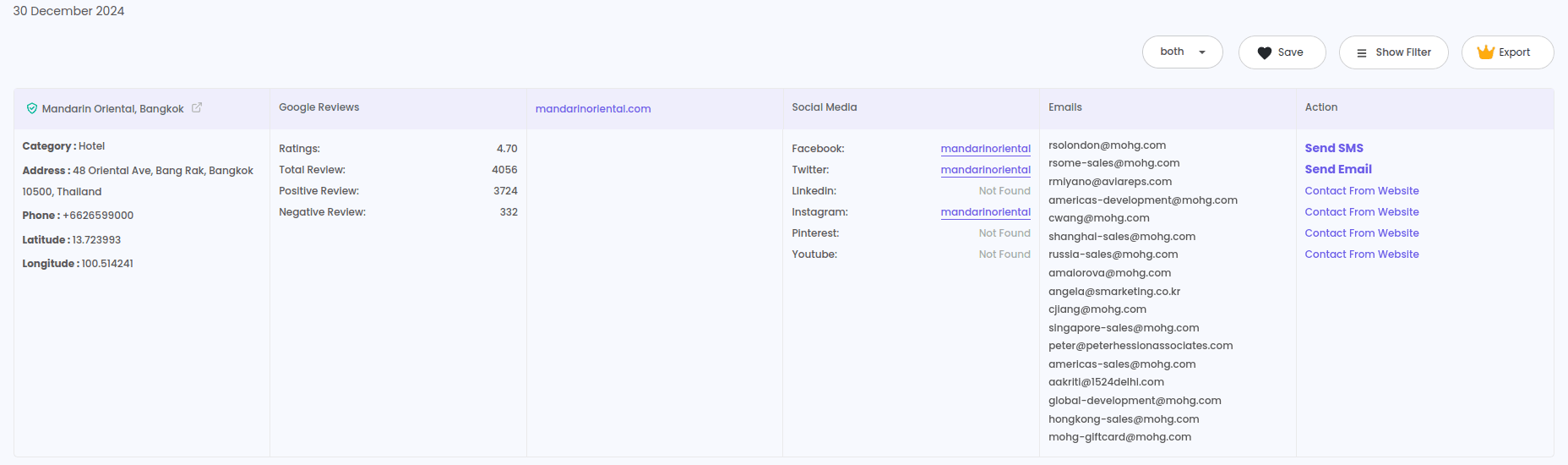
This is the most efficient Google Maps lead generator available. It works directly inside your Chrome browser. It doesn't just find numbers; it finds emails, social media links, and website URLs.
- Speed: It can gather over 2,500 leads per hour.
- Data Quality: It pulls verified status and rating scores to help you qualify leads.
- Ease of Use: No coding is needed. You just search and export.
2. Bing Maps Scraper
Sometimes Google doesn't have everything. A Bing Maps lead extractor is a great secondary source. Many businesses update their Bing listings differently, providing you with a backup way to find contact info that your rivals might miss.
3. Google Search Email Finder
If a phone number isn't enough and you need a direct email for a cold campaign, a Google Search email scraper is vital. It looks past the map listing to find contact details hidden on the company's web pages.
Step-by-Step Guide to Extracting Phone Numbers
If you are ready to build your list, follow these steps. This process is designed to be fast and simple.
Step 1: Install the LeadStal Chrome Extension
First, go to the Chrome Web Store and find the Chrome extension for Google Maps scraping. Add it to your browser. This tool will act as your google maps phone number extractor.
Step 2: Open Google Maps and Search
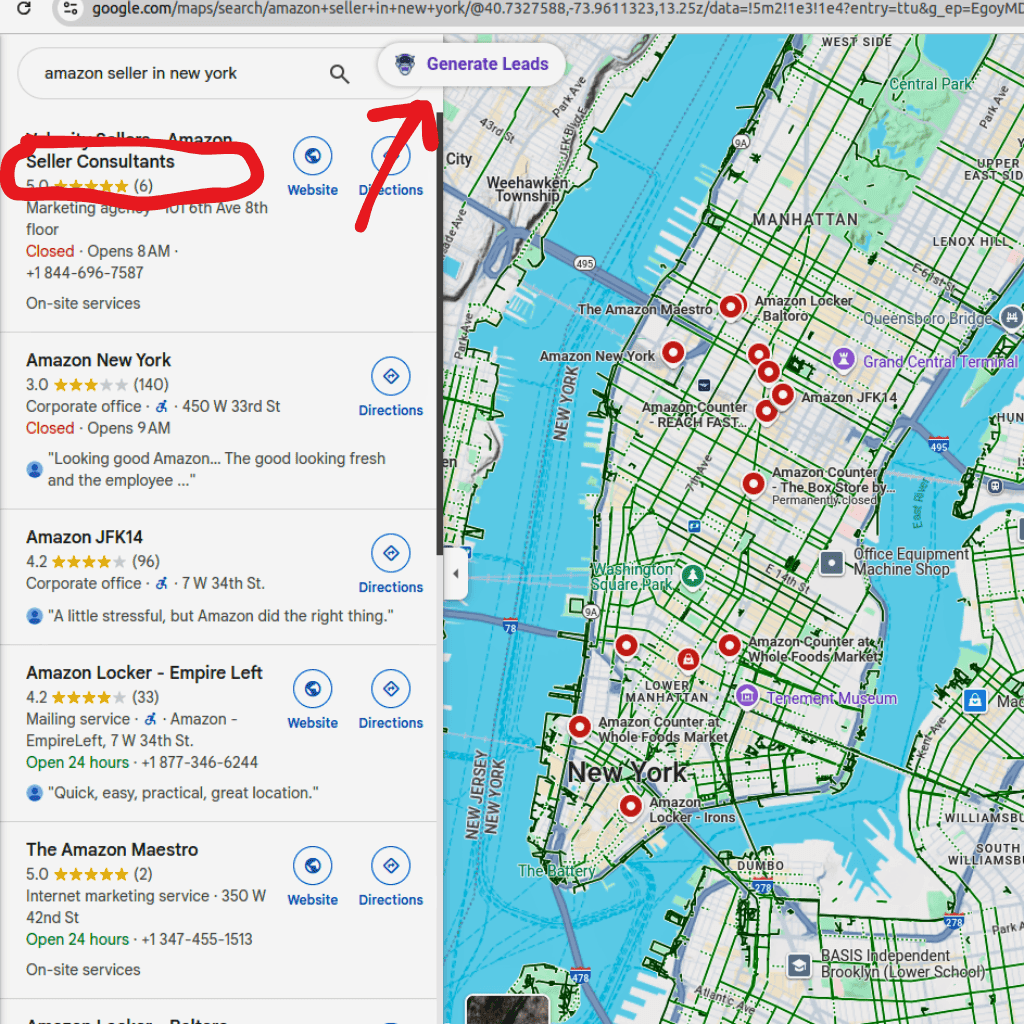
Go to the Google Maps website. Type in your target niche and location. For example, "Roofing Contractors in Dallas" or "Law Firms in London." Let the results load on the left side of the screen.
Step 3: Launch the Scraper
Click the LeadStal icon in your browser toolbar. You will see an option to "Generate Leads." Once you click this, the tool starts to scan every listing on the page. It moves through the results automatically, pulling the business name, phone number, and website.
Step 4: Export to Excel or CSV
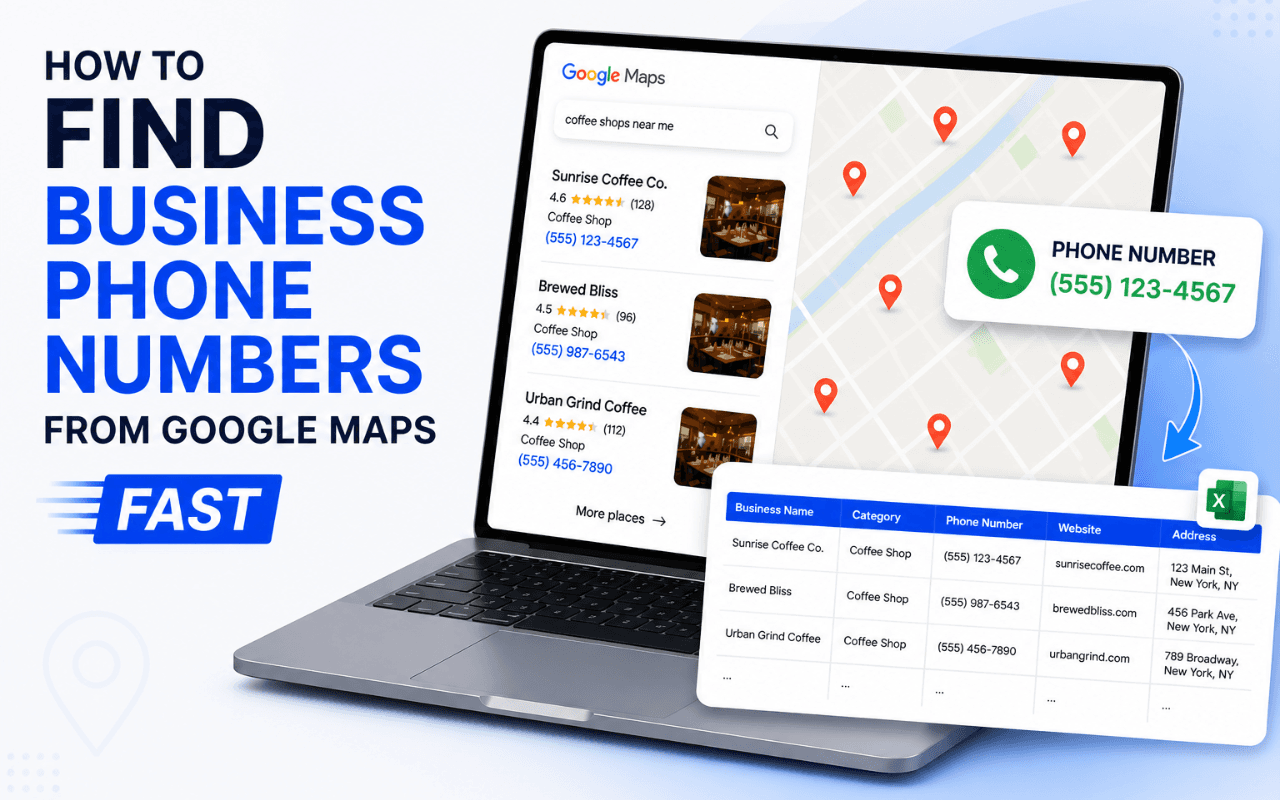
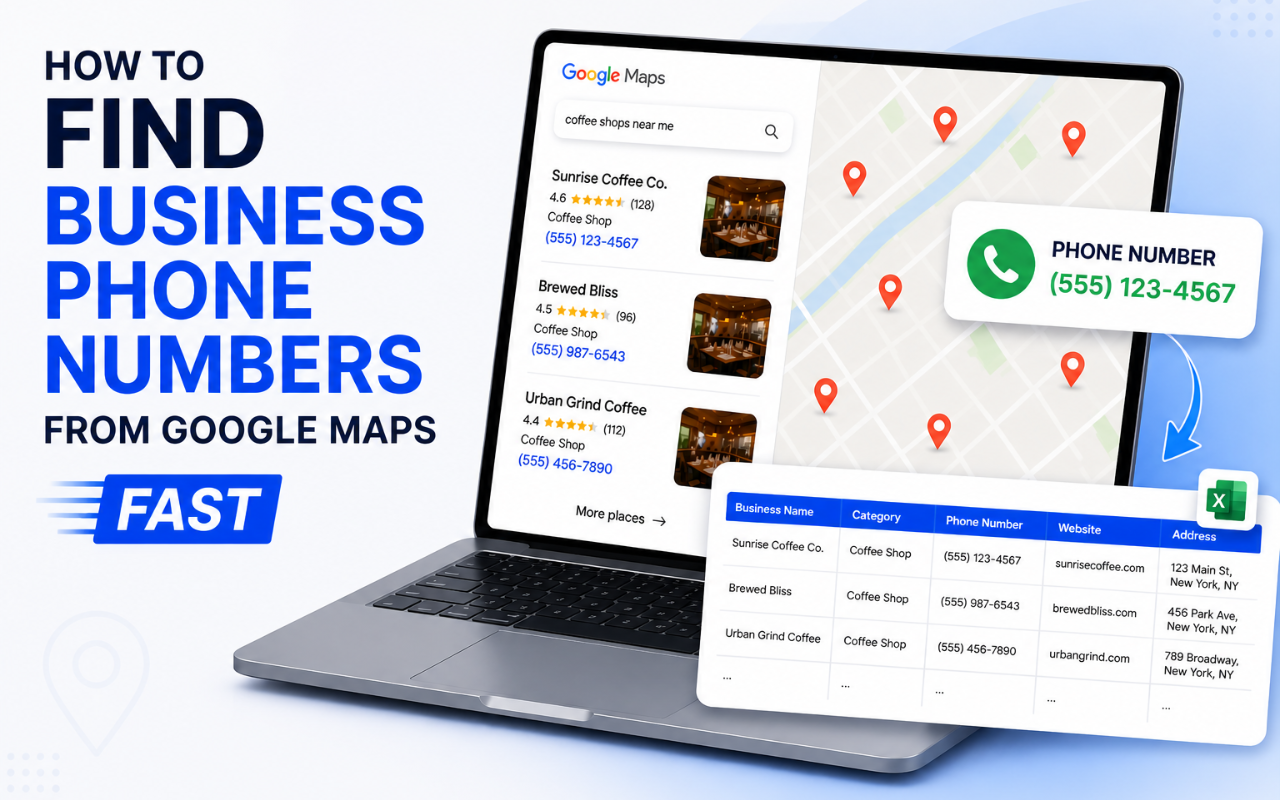
After the tool has finished gathering the data, you can export it. This gives you a clean file that you can open in Excel or Google Sheets. You now have a list of verified business phone numbers ready for your sales team.
Step 5: Clean and Verify
Before you start calling or sending messages, check the quality. Use an email verification tool if you also pulled email data. This ensures your outreach doesn't bounce and keeps your reputation high.
Practical Tips for Better Lead Generation
Finding the data is only the first part. You need to use it correctly to see results.
- Be Specific with Searches: Instead of searching for "restaurants," try "Italian restaurants in North London." The more specific you are, the better your conversion rate will be.
- Check the Ratings: Use the "Rating Score" and "Review Count" data from your Google Maps lead generator to prioritize your leads. A business with a 3-star rating might need more help with marketing than one with a 5-star rating.
- Multi-Channel Outreach: Don't just call. Use a website email extractor to find their email address too. A combination of a phone call and a cold email often gets the best results.
- Use Templates: When you reach out, don't wing it. Use proven cold email templates or phone scripts to stay consistent.
Comparison: Manual vs. Automated Extraction
Common Mistakes to Avoid
Many people fail in lead generation because they take shortcuts that hurt them later.
1. Not Verifying the Data
Scraped data can sometimes be old. A business might have changed its number or closed down. Always do a quick check before making a high-volume call. If you have emails, always use an email verification tool.
2. Ignoring Other Map Sources
Google is king, but Bing Maps has millions of listings too. If you only use one source, you are missing out on a large part of the market. Using a Bing Maps lead extractor can fill the gaps in your list.
3. Buying "Old" Lists
Never buy a list from a random person on the internet. Those lists are often years old and have been called by hundreds of other people. It is much better to find business phone numbers google maps yourself so the data is fresh and exclusive to you.
4. Forgetting to Track Results
If you don't track which numbers you have called, you will end up calling the same person twice. This makes you look unprofessional. Use a simple CRM or a spreadsheet to mark your progress.
FAQ
1. How can I scrape phone numbers google maps free?
You can use the LeadStal extension, which often has a free trial or a limited free version. This allows you to test the tool and export a few leads without any cost.
2. Is it legal to extract business phone numbers?
Yes, business phone numbers on Google Maps are public information. However, you must follow the laws in your country regarding cold calling and B2B marketing.
3. What is the best google maps phone number extractor for 2026?
The LeadStal Google Maps lead generator is a top choice due to its speed, accuracy, and the ability to find social media links and emails alongside phone numbers.
4. Can I export the data directly to Excel?
Yes. Most professional scrapers allow you to download your leads as a CSV or Excel file, making it easy to manage your data.
5. Why are some phone numbers missing?
Sometimes a business does not list a number on their map profile. In these cases, you can use a Google Search email scraper to find contact info on their main website.
6. How do I find the owner's direct number?
Google Maps usually shows the main office line. To find a specific person, you might need a person email finder or a LinkedIn search.
7. Can I find business leads on Instagram too?
Yes! If you target visual niches like gyms or salons, an Instagram lead scraper is a fantastic tool to find public contact details.
8. Do I need to be a programmer to scrape data?
No. Modern tools are designed for non-technical users. If you can use a browser, you can use a lead extractor.
9. How many leads can I get in an hour?
With a high-speed tool, you can gather upwards of 2,500 leads every hour, which is much faster than any manual method.
10. What should I do if the number is wrong?
If you hit a dead number, check the business website. You can find the correct details using a website email extractor to see if they have updated their contact page.
Final Thoughts on Finding Local Business Leads
Finding the right people to call is the first step toward a successful sales year. If you spend all your time on the research, you'll never have time for the sales. Using a google maps phone number extractor takes the weight off your shoulders. It allows you to build a massive list of local prospects in a fraction of the time it used to take.
By moving away from manual work and using automated tools, you can focus on building connections and helping your clients. Start by picking a niche, running a search, and seeing how much data is actually out there. You will be surprised at how fast your business can grow when you have the right contact info in your hands.
Ready to see how fast you can build a list? Try the LeadStal tool today and start your first search.
Put this into action, for free
Find verified leads from Google Maps, Instagram and 30+ sources with LeadStal's free tools.
Start finding leads freeComments (3)
 Priya Nair· 2 days ago
This is exactly what I needed, pulled 300 leads in my niche the same afternoon. The export to CSV worked flawlessly.