How to Extract Phone Numbers from IG Profiles?
Learn how to extract phone numbers from IG profiles using the IG Profile Scraper. Fast, accurate, and easy-to-use tool for lead generation and outreach.
Instagram is more than just a place for sharing pictures — it’s a goldmine for business contact data. Many public profiles, especially those of businesses and influencers, display their contact details including phone numbers for inquiries, orders, or collaboration.
If you’re running cold outreach, sales campaigns, market research, or influencer marketing, having direct phone numbers can save you time and help you connect faster.
But how do you collect phone numbers from hundreds or thousands of IG profiles without wasting days doing it manually?
The answer lies in using a tool like an IG Profile Scraper — a simple yet powerful way to extract phone numbers and other public information from Instagram profiles quickly and accurately.
Let’s break down the full process in this guide.
Why Extract Phone Numbers from Instagram?
You might wonder why Instagram would be useful for phone number collection when there are other platforms out there.
Here are a few solid reasons:
- Direct Contact – Phone calls and WhatsApp messages often have better response rates than emails or DMs
- Lead Generation – Build lists of verified numbers for your sales team
- Service Booking or Order Fulfillment – Reach out to local businesses listed on Instagram
- Influencer Collaboration – Contact creators for campaigns or paid promotions
- B2B Opportunities – Many service providers share their number for professional inquiries
Instead of guessing or relying on directories, you can pull data directly from active Instagram users.
What is an IG Profile Scraper?
An IG Profile Scraper is a tool designed to collect public data from Instagram profiles — including phone numbers, emails, bios, usernames, profile photos, and engagement metrics.
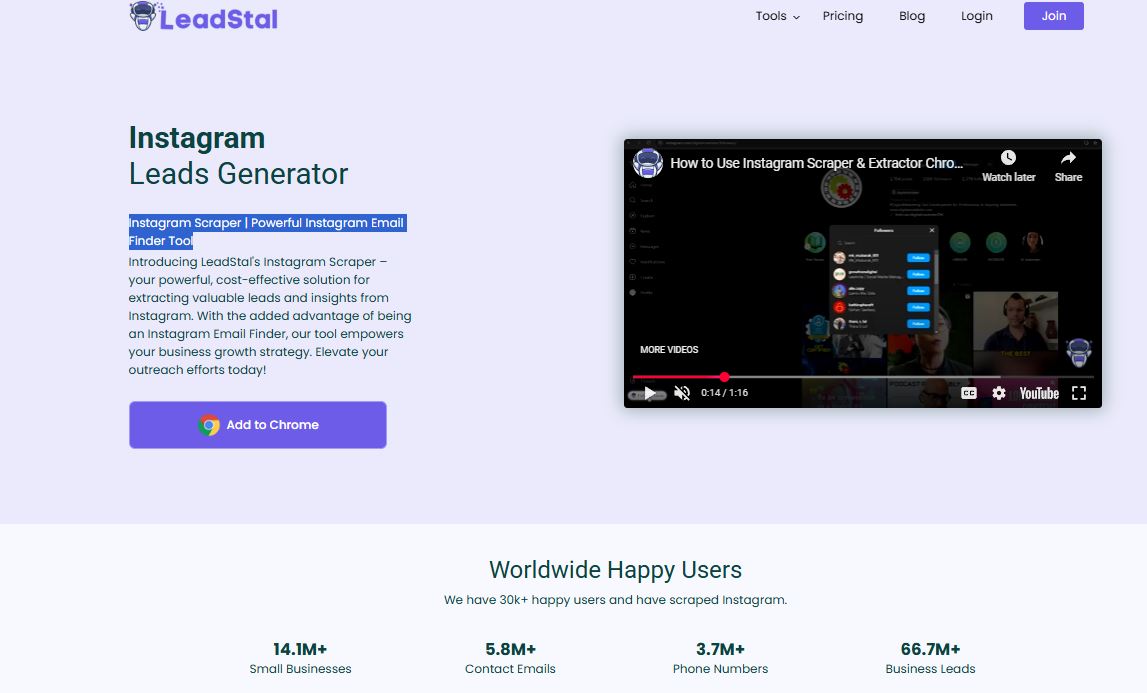
With the right scraper, you can process multiple profiles in minutes and download clean, organized contact data in bulk.
The IG Profile Scraper by LeadStal is one of the most efficient tools available for this task.
It’s user-friendly, browser-based, and doesn’t require any technical skills.
What Kind of Phone Numbers Can You Extract?
Only public phone numbers are accessible through scraping tools.
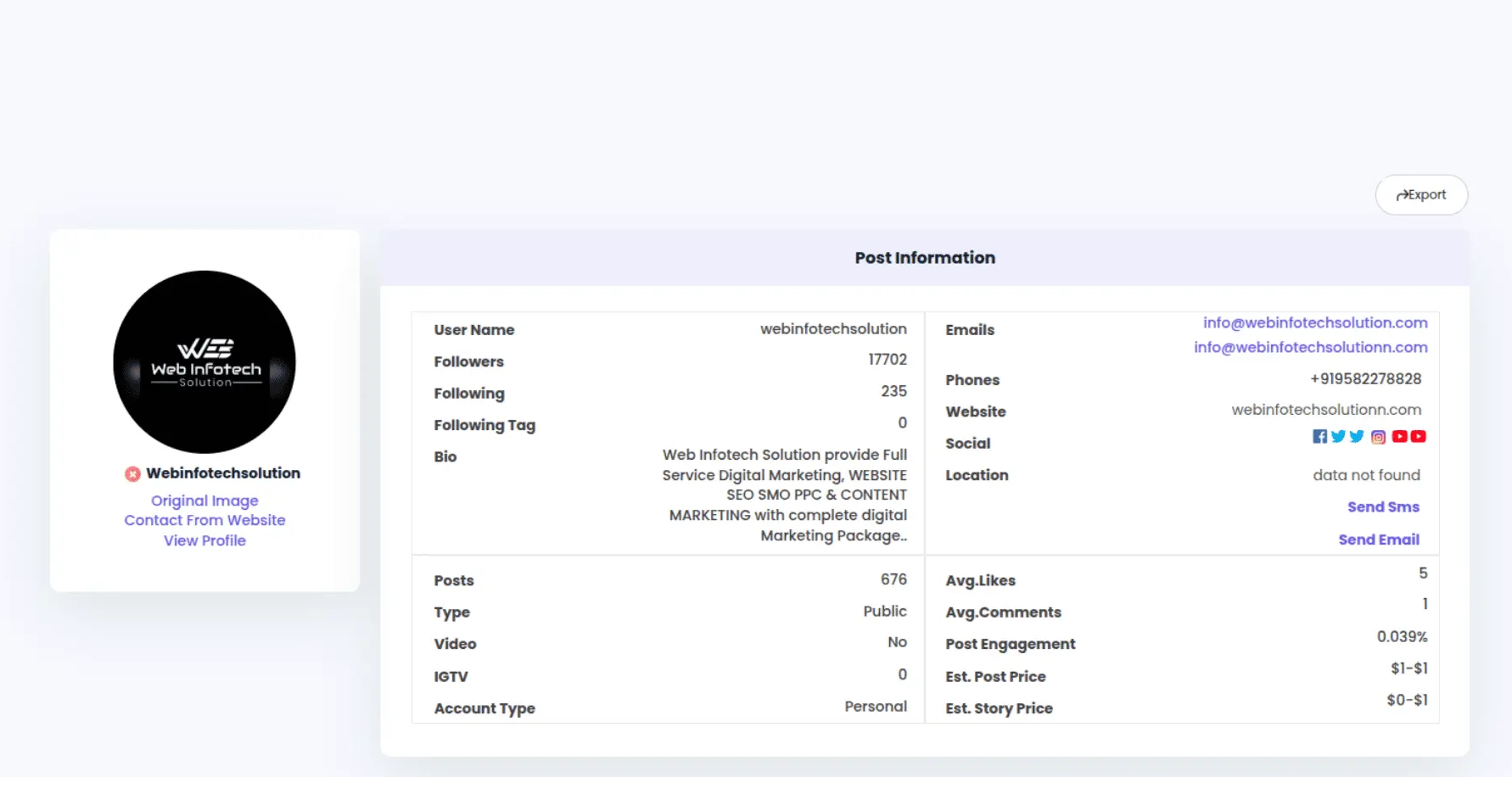
On Instagram, many businesses and professional accounts provide their contact details using the “Call” or “Contact” button. The scraper reads this public data and collects it for you.
Keep in mind:
- You can’t extract hidden or private numbers
- The number must be made public by the account owner
- It’s always recommended to use the data responsibly
Key Benefits of Using an IG Profile Scraper for Phone Number Collection
Here’s why more marketers and business owners are using Instagram scrapers:
- Speed – Collect hundreds of contacts within a few hours
- Accuracy – Scrape verified, public data only
- No coding required – Tools like LeadStal are easy to use
- Organized output – Data can be exported as Excel or CSV
- Bulk scraping – No need to check each profile manually
- Cost-effective – Much cheaper than buying lead lists
It’s a practical tool for those who need large amounts of public contact data fast.
Step-by-Step: How to Extract Phone Numbers Using LeadStal’s IG Profile Scraper
The process is simple and takes just a few minutes to get started.
Step 1: Install the IG Profile Scraper Extension
To begin, install the Chrome extension:
- Download the extension package
- Unzip the file
- Open Google Chrome and go to
chrome://extensions - Turn on Developer Mode (top-right toggle)
- Click Load unpacked
- Choose the folder you extracted
- The tool is now active in your browser
You’ll see the IG Profile Scraper icon added to your toolbar.
Step 2: Collect a List of Instagram Profiles
Now, gather the profiles you want to extract phone numbers from. You can find target accounts by:
- Using Instagram’s search feature
- Searching niche-specific hashtags
- Visiting competitor follower lists
- Browsing business pages or influencers
- Saving URLs to a spreadsheet
Step 3: Start Scraping Phone Numbers
Here’s how to extract the phone numbers:
- Open Instagram in Chrome
- Visit one of the target profiles
- Click the “Profile Leads” button from the extension
- The tool will scan the public profile and collect available data
- If a phone number is listed, it will be extracted and saved
- Export the data as CSV or Excel
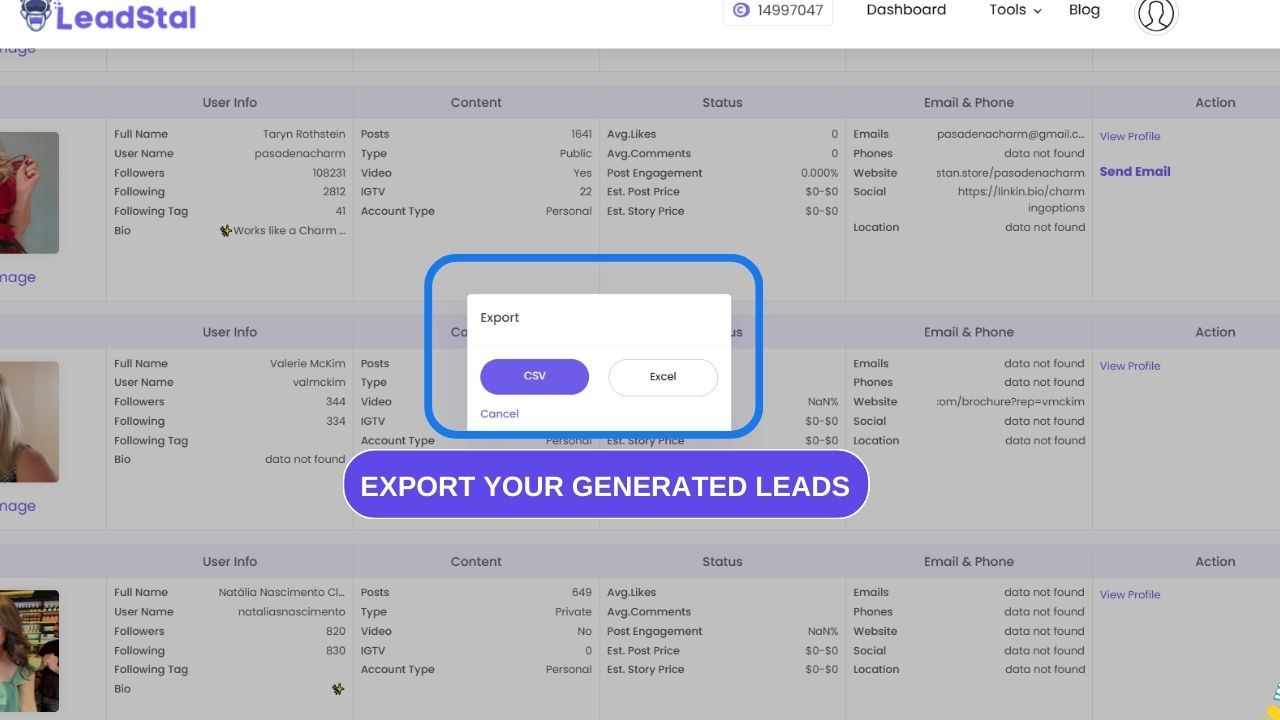
Repeat for multiple profiles or use the bulk scrape feature to speed things up.
What Data Will You Get Besides Phone Numbers?
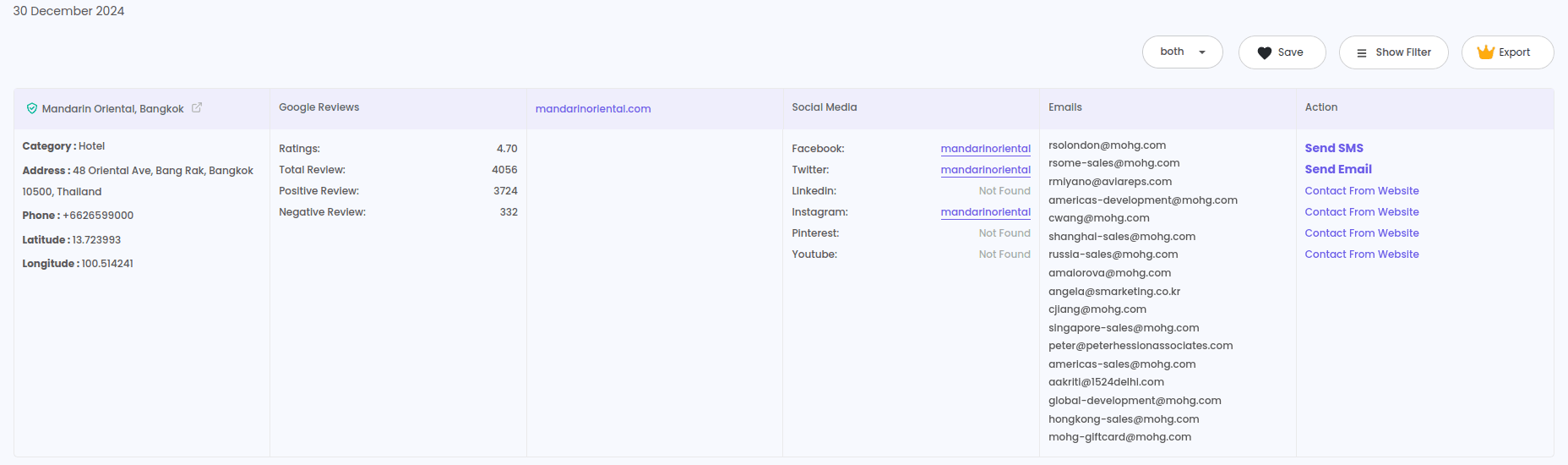
While scraping phone numbers, LeadStal’s IG Profile Scraper also collects:
This gives you a detailed lead profile, helping you decide which ones are worth contacting.
How Many Profiles Can You Scrape?
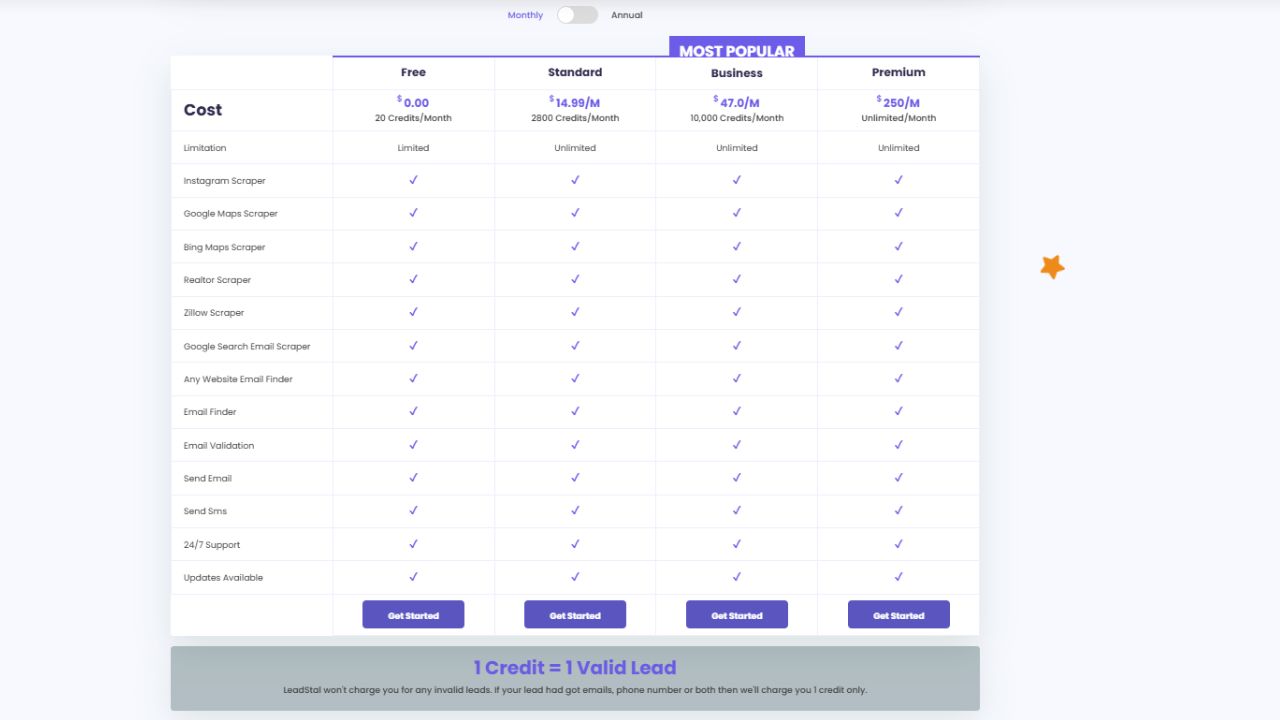
The number depends on the credits in your LeadStal account. Each credit lets you scrape one profile.
Here’s the current pricing:
So, to extract phone numbers from 1,000 profiles, you’ll need 1,000 credits — which is covered under the Standard Plan.
Is It Legal and Safe?
Yes. The IG Profile Scraper by LeadStal:
- Only extracts public data
- Does not access private profiles or messages
- Requires no Instagram login
- Works directly from Chrome
- Respects platform rules
You should use the scraped phone numbers for legal business purposes only (such as B2B marketing, client follow-ups, or partnership offers). Always stay compliant with your region’s telemarketing and privacy laws.
Who Can Use This Tool?
This tool is great for:
- Marketing agencies – to build call lists for campaigns
- Sales teams – for lead collection and phone outreach
- E-commerce businesses – to connect with local resellers or influencers
- Freelancers and consultants – to find potential clients
- Influencer agencies – to contact creators via phone or WhatsApp
- Service providers – for appointment setting and client acquisition
Final Thoughts
Finding and collecting phone numbers from Instagram manually takes too long — especially if you need data from hundreds or thousands of profiles.
The IG Profile Scraper by LeadStal solves that problem. It’s fast, reliable, and built for marketers, agencies, and salespeople who want to get things done quickly.
You can extract not just phone numbers, but also emails, bios, follower counts, and engagement insights — all from public profiles.
If you're looking to improve your outreach, boost productivity, and get more results with less manual work, this is the right tool for the job.
🔗 Start using the IG Profile Scraper now
Related Blog Post
FAQs
1. Can I extract phone numbers from private profiles? No. The tool only works on public profiles that display contact info.
2. What if the profile doesn’t list a phone number? If there’s no public phone number, the scraper will skip that data.
3. Is the data accurate? Yes. LeadStal checks for the latest public data with a high accuracy rate.
4. Do I need to log in to Instagram? No. The scraper works without logging into any account.
5. Is this tool safe to use? Yes. It runs in your browser, doesn’t store your data, and respects Instagram’s limits.
6. How long does it take to scrape 500 profiles? Roughly 1–2 hours depending on your internet and system speed.
7. Can I export the phone numbers? Yes. All data can be exported as CSV or Excel files.
8. Can I scrape other contact info too? Yes. It can also extract emails, bios, usernames, and engagement data.
9. How can I install the tool? Follow the installation instructions here.
10. Is there any support available? Yes. LeadStal provides 24/7 customer support and full documentation.
Put this into action, for free
Find verified leads from Google Maps, Instagram and 30+ sources with LeadStal's free tools.
Start finding leads freeComments (3)
 Priya Nair· 2 days ago
This is exactly what I needed, pulled 300 leads in my niche the same afternoon. The export to CSV worked flawlessly.