How to Use Bing Maps Scraper Chrome Extension?
Use a Bing Maps Scraper Chrome Extension to extract business data quickly. Automate lead generation, save time, and export verified contacts with ease.
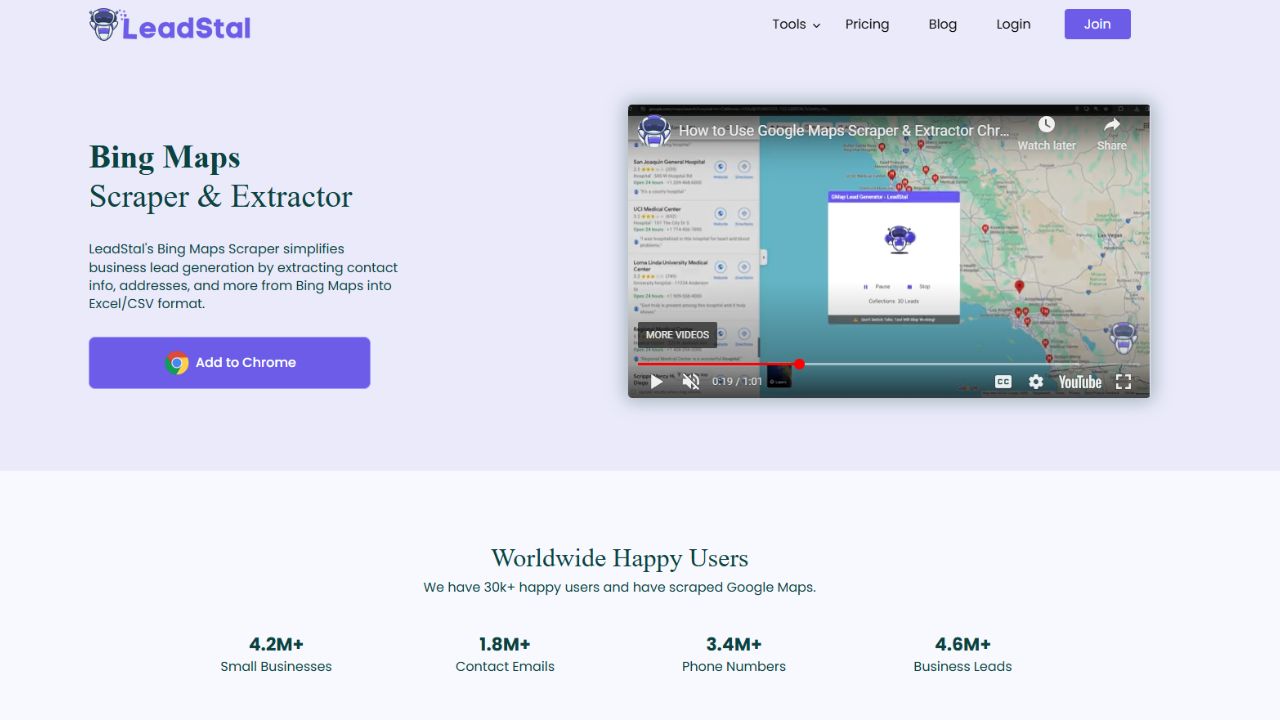
Extracting business data from Bing Maps can be time-consuming when done manually. A Bing Maps Scraper Chrome Extension simplifies this process, allowing businesses to collect important information such as phone numbers, email addresses, business names, and addresses quickly and efficiently. This guide explains how to install, set up, and use a Bing Maps Scraper Chrome Extension for accurate and efficient data extraction.
Why Use a Bing Maps Scraper Chrome Extension?
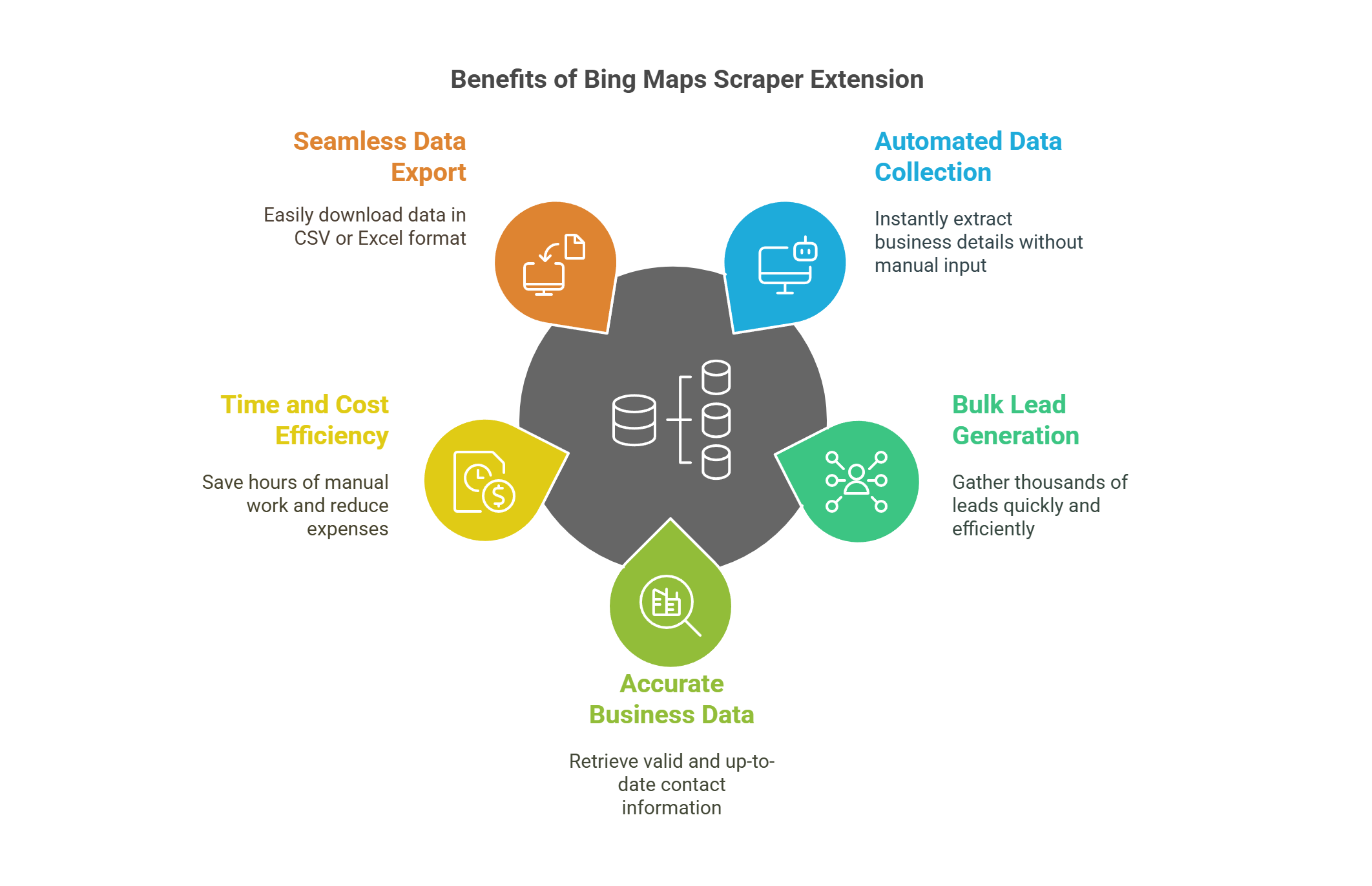
A Bing Maps Scraper Chrome Extension offers multiple benefits, including:
- Automated data collection – Extract business details instantly.
- Bulk lead generation – Gather thousands of leads in minutes.
- Accurate business data – Retrieve valid and up-to-date contact information.
- Time and cost efficiency – Save hours of manual work.
- Seamless data export – Download extracted data in CSV or Excel format for further use.
Businesses can leverage these features to improve their marketing, sales, and business development strategies.
How to Install the Bing Maps Scraper Chrome Extension?
- Open Google Chrome and visit the Chrome Web Store.
- In the search bar, type "Maps Scraper | Leads Extractor by LeadStal".
- Click on the extension and then select "Add to Chrome".
- Confirm the installation by clicking "Add Extension".
- Once installed, the extension icon will appear in the browser toolbar.
How to Use the Bing Maps Scraper Chrome Extension?
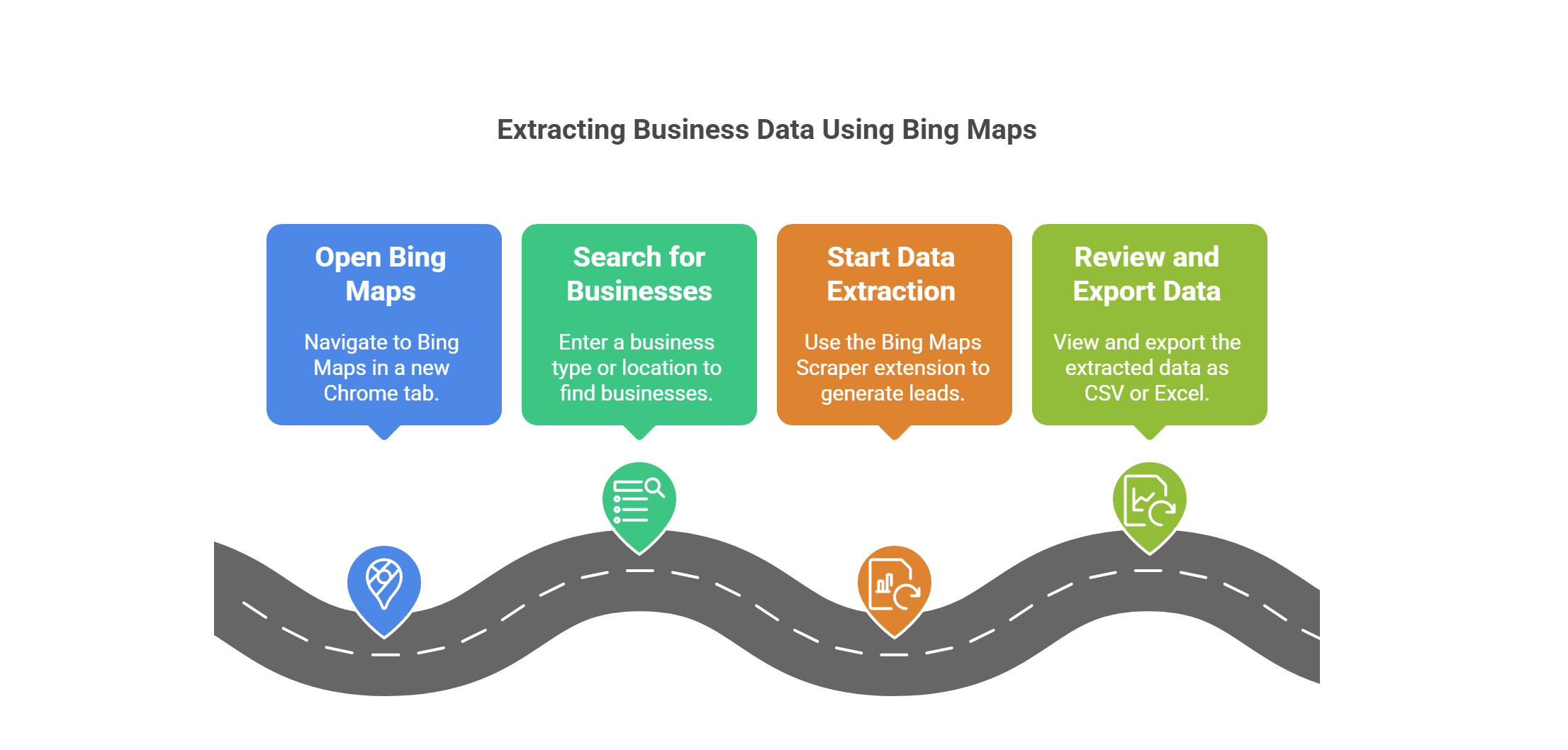
Step 1: Launch Bing Maps
- Open a new tab in Google Chrome and go to Bing Maps.
Step 2: Search for Businesses
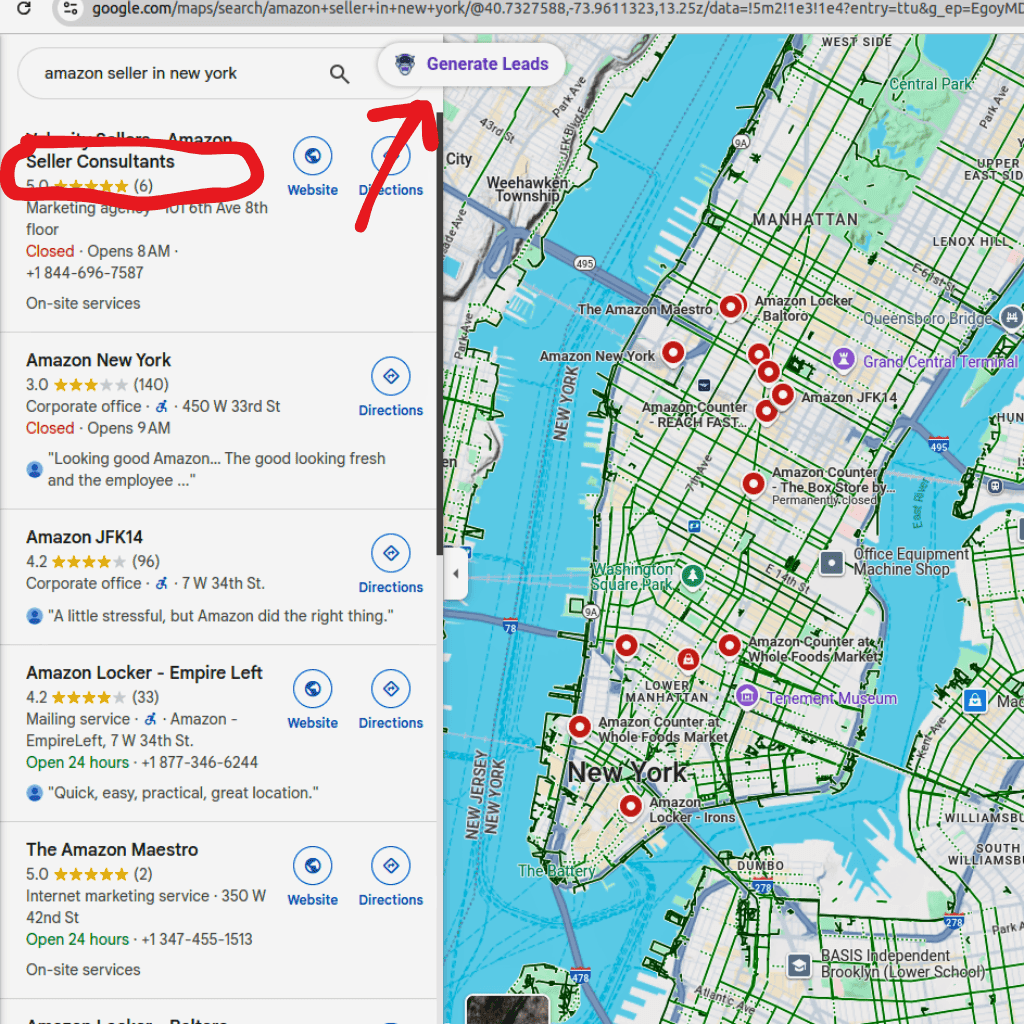
- Enter a business type or industry (e.g., “restaurants in New York”).
- Bing Maps will display a list of businesses in that location.
Step 3: Start Data Extraction
- Click on the Bing Maps Scraper Chrome Extension icon in your toolbar.
- Select "Generate Leads" to begin the scraping process.
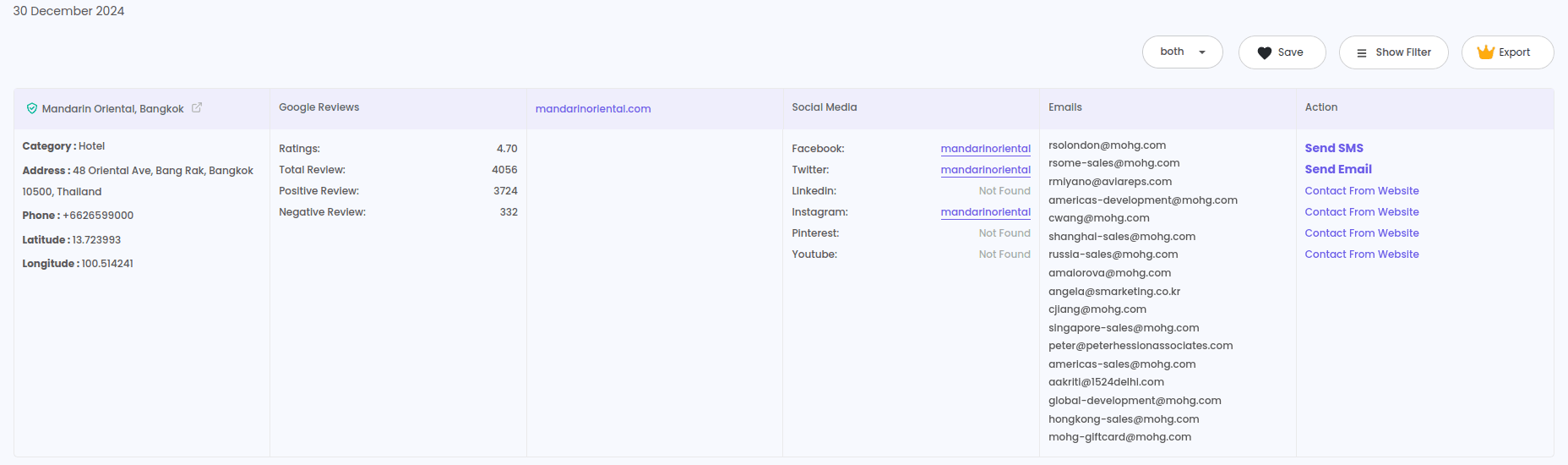
- The tool will extract business details, including names, addresses, phone numbers, email addresses, and websites.
Step 4: Review and Export Data
- Once extraction is complete, click "View Result" to check the extracted data.
- Select "Export" and choose CSV or Excel format.
- Save the file to your device and use it for marketing, lead generation, or CRM integration.
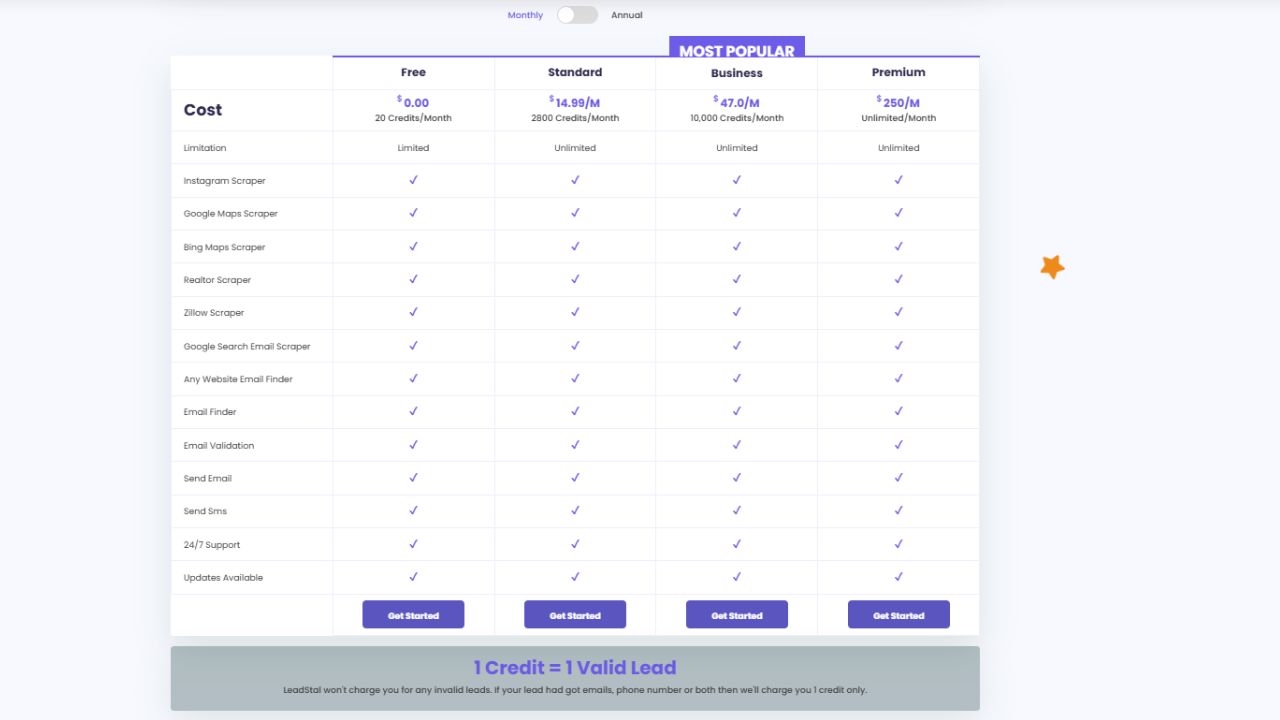
Pricing Plans for LeadStal’s Bing Maps Scraper Chrome Extension
LeadStal offers flexible pricing options to suit different business needs:
These plans ensure affordability while maximizing efficiency and data extraction capabilities.
Benefits of Using a Bing Maps Scraper Chrome Extension
- Fast and Efficient: Extracts thousands of business details within minutes.
- Accurate and Verified Data: Ensures 99.5% accuracy with real-time extraction.
- Automated Lead Generation: Reduces manual data entry efforts.
- Seamless CRM Integration: Exports data in Excel and CSV formats.
- User-Friendly Interface: Requires no technical expertise to operate.
- Customizable Search: Filter results based on location, industry, and keywords.
- Time-Saving: Eliminates the need for manual research and copying data manually.
Who Can Benefit from a Bing Maps Scraper Chrome Extension?
- Sales and Marketing Teams – Automate lead generation for targeted outreach.
- Real Estate Agents – Extract property and broker details.
- Market Research Firms – Gather industry-specific business data.
- Local Business Owners – Find potential partners and competitors.
- Recruitment Agencies – Collect company contacts for job placements.
- Digital Marketers – Build verified business contact lists.
With this extension, businesses can streamline operations and enhance their data-driven strategies.
Final Thought
Using a Bing Maps Scraper Chrome Extension makes extracting business data simple and efficient. With LeadStal’s extension, businesses can save time, generate quality leads, and optimize their sales and marketing efforts without the hassle of manual data collection.
For businesses looking for a fast and reliable solution, LeadStal provides a cost-effective and user-friendly tool. Visit LeadStal.com today and start extracting business data effortlessly.
Frequently Asked Questions (FAQs)
Frequently asked questions
Is it legal to use a Bing Maps Scraper Chrome Extension?
Yes, LeadStal’s scraper extracts publicly available business data for legal marketing and research purposes.
Can I extract data from specific locations?
Yes, the tool allows you to filter results by business category, location, and industry.
How accurate is the extracted data?
LeadStal ensures 99.5% accuracy, providing up-to-date business information.
What file formats are supported for exporting data?
The extracted data can be downloaded in CSV and Excel formats.
Is the tool beginner-friendly?
Yes, the tool is designed for ease of use and requires no technical expertise.
Put this into action, for free
Find verified leads from Google Maps, Instagram and 30+ sources with LeadStal's free tools.
Start finding leads freeComments (3)
 Priya Nair· 2 days ago
This is exactly what I needed, pulled 300 leads in my niche the same afternoon. The export to CSV worked flawlessly.